
Reviews
Ihre Grafiken verleihen meinen Präsentationen eine nette Note, und ich habe sie kürzlich für eines meiner All-Hands-Meetings verwendet. Ihre Toolbox verleiht meinen Folien Professionalität, anstatt Standard-Clipart zu verwenden.
Ich brauchte einen neuen Blick auf einige meiner Folien. Ich habe versucht, einen Weg zu finden, einen Pinselschlag-Effekt zu erzielen, um zu unterstreichen, hervorzuheben, Farbe hinzuzufügen, und die handgeschriebenen Markierungen waren genau das Richtige. Sehr einfach zu bedienen, leicht in der Größe zu ändern, die Farbe zu ändern. Es war eine erschwingliche, perfekte Lösung und ich empfehle sie gerne weiter.
Die klare, saubere Optik der Grafiken und die Tatsache, dass ich die Farben leicht bearbeiten und an die Vorlage anpassen konnte, war mein Hauptgrund für den Kauf.
Description
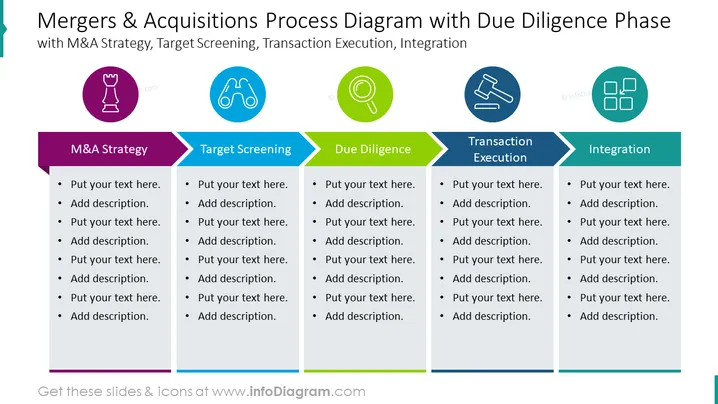
##Slide content: The Merger and Acquisition Process consists of five phases: M&A Strategy, Target Screening, Due Diligence, Transaction Execution, and Integration. Merger and acquisition (M&A) is the process of joining two businesses into one. Synergy is sought after when two or more enterprises where the new firm outperforms the value of its pieces (the previous two separate organizations). To create a list of candidates for future examination and due diligence and increase the chance of success, organizations can screen potential M&A targets. The third process is due diligence which is the act of acquiring and confirming important information about a business to help make an informed choice. The fourth process is transaction execution which refers to acting directly or indirectly on one's behalf or that of another. The fifth process is integration which is merging a buyer and seller to the extent required to realize the expected outcomes from a merger or acquisition. You can use this PowerPoint slide if you are a manager who wants to give a presentation about the merger and acquisition process. You can download this PPT template on Google Slides and Keynote.
##Slide Infographic Description: White Background, Text Box, Chess Piece Icon, Boniculars Icon, Magnifying Glass Icon, Due Diligence Icon, Gavel Icon, Law Icon, Strategy Icon, Integration Icon
How to Edit
How to edit text & colors

How to expand / shorten diagram

How to Replace Icons in infoDiagram PPT


