
Reviews
Sus gráficos añaden un toque agradable a mis presentaciones y recientemente los usé para una de mis reuniones generales. Su conjunto de herramientas añade profesionalismo a mis diapositivas. En lugar de usar imágenes prediseñadas estándar.
Necesitaba un aspecto fresco para algunas de mis diapositivas. Había intentado encontrar una forma de crear un efecto de pincel, de subrayar, acentuar, añadir algo de color y los marcadores escritos a mano fueron justo lo que necesitaba. Muy fácil de usar, fácil de ajustar el tamaño, cambiar el color. Fue una solución asequible y perfecta, y estoy feliz de recomendarla.
El aspecto nítido y limpio de los gráficos, y el hecho de que me permitiera editar y cambiar fácilmente los colores para que coincidieran con la plantilla fue mi principal razón para comprarlos.
Description
Merge-In Line Arrows with 5 Inputs List
Slide Content
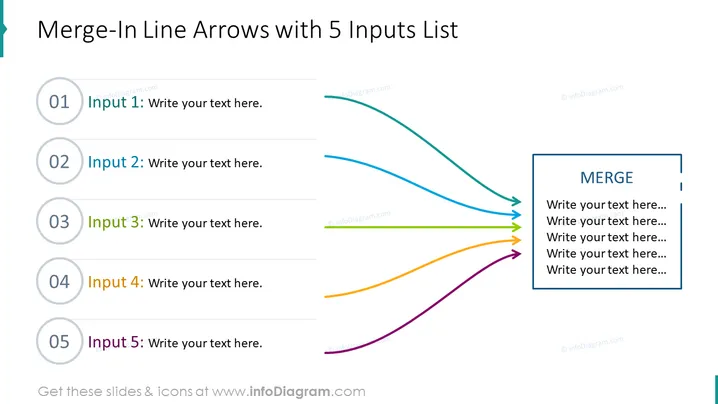
The PowerPoint slide is designed to show a process or system where five separate inputs converge into a singular point or outcome, denoted by "MERGE." Each input is represented by a circular icon numbered from 01 to 05, signifying the sequence of the inputs. The slide provides placeholders for describing each input, suggesting a framework where each contributing factor or step is critical before merging into the final result or conclusion.
Graphical Look
- The slide has a clean, modern design with a white background.
- A large, bold title is positioned at the top of the slide, reading "Merge-In Line Arrows with 5 Inputs List."
- Five circular gray icons with blue numbers from 01 to 05 are aligned vertically on the left side.
- Each icon is connected to a colored arrow, which ascends and curves towards the right.
- The arrows are colored distinctly in teal, green, blue, orange, and purple, corresponding to the five inputs.
- On the right side, there is a rectangular box with a bold border, containing the capitalized word "MERGE" at the top.
- The "MERGE" box has text placeholders bulleted for additional information input, aligned with the endpoints of the converging arrows.
The overall look is highly structured and visually appealing, using color differentiation to distinguish between the inputs and guide the viewer's eye towards the merge outcome. The layout effectively demonstrates a confluence of ideas or elements into a unified concept.
Use Cases
- To illustrate the integration of multiple departments or teams into a single project or initiative.
- For showcasing different stages or components of a product development process leading up to a finished product.
- To explain the convergence of various ideas or strategies into one cohesive business plan or marketing campaign.
- As an aid in training or educational presentations to depict the cumulative effect of sequential learning modules or concepts.
How to Edit
How to edit text & colors

How to expand / shorten diagram

How to Replace Icons in infoDiagram PPT


