

Your graphics add a nice touch to my presentations and I recently used them for one of my all-hands meetings. Your toolbox adds professionalism to my slides. Instead of using standard clipart.
Claude Jones, Director of Engineer, @Walmartlabs, USA

Your graphics add a nice touch to my presentations and I recently used them for one of my all-hands meetings. Your toolbox adds professionalism to my slides. Instead of using standard clipart.
Claude Jones, Director of Engineer, @Walmartlabs, USA
I needed a fresh look at some of my slides. I've tried to find a way to create a paintbrush effect, to underline, accentuate, add some color and the handwritten markers were just the things. Very easy to use, easy to size, change the color. It was an affordable, perfect solution and I'm happy to recommend it.
Anonymous, US
The crisp, clean look of the graphics, and the fact that it allowed me to easily edit and change the colors to match the template was my main reason for purchasing them.
Brandie Jenkins, E-learning Developer, USA
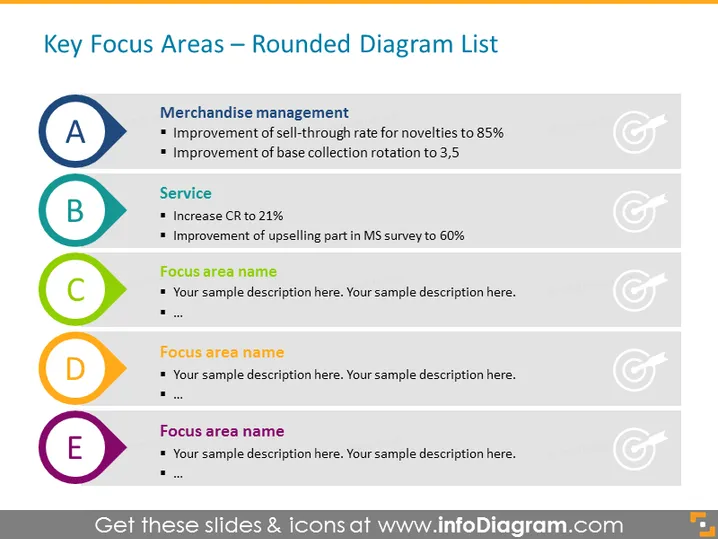
The PowerPoint slide is titled "Key Focus Areas – Rounded Diagram List" and outlines critical areas of focus for an organization to improve its operations. Under Merchandise management, the goals include enhancing the self-through rate for novelties to 85% and boosting the base collection rotation to 3.5, which means aiming for a higher turnover of new products and more frequent updates to the core product line. Service improvement is marked by increasing Conversion Rate (CR) to 21% and bettering the upselling aspect in a Market Survey (MS) to 60%, which indicates a focus on customer conversion and maximizing the potential of additional sales.
The overall look of the slide is clean and organized, utilizing a simple color palette that effectively highlights each separate focus area. The use of color-coordinated icons and text makes the information easy to follow for the audience.



