
Reviews
Sus gráficos añaden un toque agradable a mis presentaciones y recientemente los usé para una de mis reuniones generales. Su conjunto de herramientas añade profesionalismo a mis diapositivas. En lugar de usar imágenes prediseñadas estándar.
Necesitaba un aspecto fresco para algunas de mis diapositivas. Había intentado encontrar una forma de crear un efecto de pincel, de subrayar, acentuar, añadir algo de color y los marcadores escritos a mano fueron justo lo que necesitaba. Muy fácil de usar, fácil de ajustar el tamaño, cambiar el color. Fue una solución asequible y perfecta, y estoy feliz de recomendarla.
El aspecto nítido y limpio de los gráficos, y el hecho de que me permitiera editar y cambiar fácilmente los colores para que coincidieran con la plantilla fue mi principal razón para comprarlos.
Description
List of Top Solutions
Slide Content
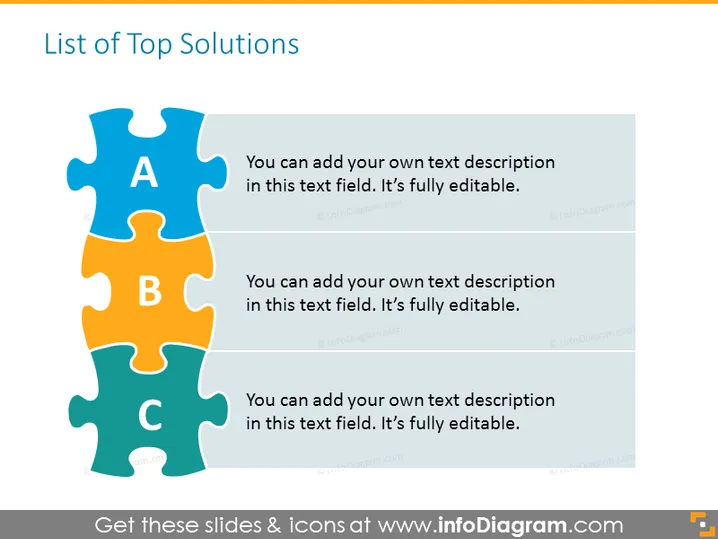
The PowerPoint slide titled "List of Top Solutions" features a segmented puzzle graphic consisting of three interlocking pieces labeled A, B, and C, each with a different color—blue, orange, and green respectively. To the right of each puzzle piece, there is space provided to add a custom text description, indicating that the slide is designed to be fully editable for the user to input their own content. This setup clearly suggests a way to present a concise list of solutions or ideas in a manner that emphasizes their interconnected nature.
Graphical Look
- The slide has a white background which makes the colorful puzzle pieces stand out.
- Three puzzle pieces are arranged vertically, connecting with each other.
- Each puzzle piece has a distinct color—light blue for "A", orange for "B", and teal for "C".
- Next to each puzzle piece is a text box with placeholder text indicating where to input the customized content.
- The font of the placeholder text is sans-serif, which contributes to a clean and modern aesthetic.
The graphical presentation of the slide is simple, yet effective, using the jigsaw puzzle as a metaphor for how different solutions can fit together. The vibrant colors of the puzzle pieces draw attention and could help to maintain audience engagement.
Use Cases
- To present a business strategy composed of several interconnected components.
- In an educational setting, to highlight how different learning modules or topics are related.
- During a project kickoff meeting, to outline the primary phases or milestones of a project.
- In a marketing presentation, to showcase the core features or benefits of a product.
How to Edit
How to edit text & colors

How to expand / shorten diagram

How to Replace Icons in infoDiagram PPT


