
Reviews
Sus gráficos añaden un toque agradable a mis presentaciones y recientemente los usé para una de mis reuniones generales. Su conjunto de herramientas añade profesionalismo a mis diapositivas. En lugar de usar imágenes prediseñadas estándar.
Necesitaba un aspecto fresco para algunas de mis diapositivas. Había intentado encontrar una forma de crear un efecto de pincel, de subrayar, acentuar, añadir algo de color y los marcadores escritos a mano fueron justo lo que necesitaba. Muy fácil de usar, fácil de ajustar el tamaño, cambiar el color. Fue una solución asequible y perfecta, y estoy feliz de recomendarla.
El aspecto nítido y limpio de los gráficos, y el hecho de que me permitiera editar y cambiar fácilmente los colores para que coincidieran con la plantilla fue mi principal razón para comprarlos.
Description
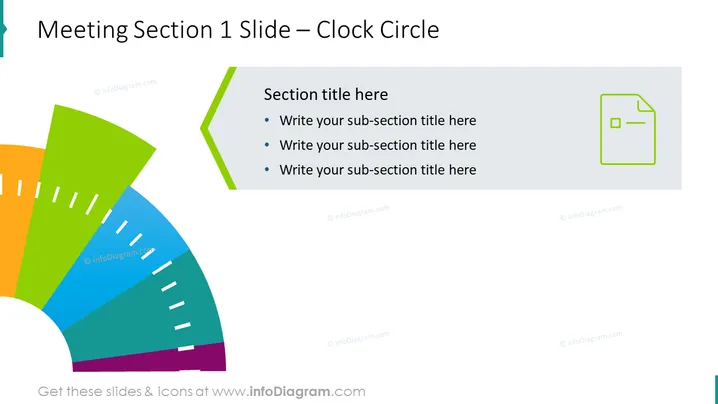
Meeting Section 1 Slide – Clock Circle
Slide Content
The PowerPoint slide titled "Meeting Section 1 Slide – Clock Circle" seems to be designed for breaking down a session or agenda into parts. The bullet points are placeholders for subsection titles, suggesting a detailed discussion or presentation of multiple topics within a section. Each bullet point likely represents a significant point or topic to be covered, allowing the presenter to organize their content effectively.
Graphical Look
- The slide background is white, providing a clean and neutral canvas for the content.
- In the top left, there is the slide title in a large, bold, teal font.
- A colorful, segmented, semi-circular graphic is positioned on the left side, resembling a stylized clock or pie chart with sections in yellow, green, blue, and purple.
- Each segment of the semi-circular graphic has dashed white lines suggesting subdivisions.
- To the right of the segmented graphic, there is a grey content box with a green left border that includes three bullet points for text placeholders.
- In the upper right corner, there is a square icon outlined in green, featuring a simple representation of a document with a folded corner and a dash line, possibly indicating a report or file.
The overall look of the slide is modern and professional, with a colorful graphical element to draw attention to the different subsections of a meeting or presentation topic.
Use Cases
- To outline the agenda for different sections of a meeting or conference, providing a visual cue for each topic.
- In a training session to indicate various modules or timeframes that attendees will go through.
- During a workshop to visually represent different activities or discussion points scheduled.
- As a summary slide in a report or proposal to highlight the key sections or stages of a project plan.
How to Edit
How to edit text & colors

How to expand / shorten diagram

How to Replace Icons in infoDiagram PPT


