
Reviews
Your graphics add a nice touch to my presentations and I recently used them for one of my all-hands meetings. Your toolbox adds professionalism to my slides. Instead of using standard clipart.
I needed a fresh look at some of my slides. I've tried to find a way to create a paintbrush effect, to underline, accentuate, add some color and the handwritten markers were just the things. Very easy to use, easy to size, change the color. It was an affordable, perfect solution and I'm happy to recommend it.
The crisp, clean look of the graphics, and the fact that it allowed me to easily edit and change the colors to match the template was my main reason for purchasing them.
Description
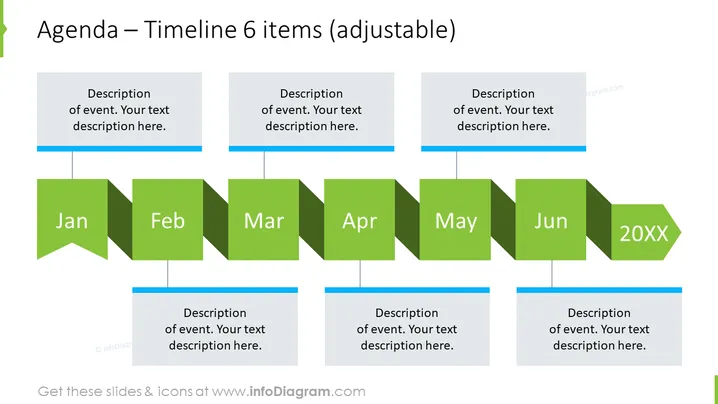
Agenda – Timeline 6 items (adjustable)
Slide Content
The slide presents an adjustable 6-item agenda or timeline, each item corresponding to a month, starting from January and ending in June. The year is specified as "20XX," indicating a placeholder for any year in the 21st century. For each month, there is a descriptive box where information about specific events or agenda items can be included. The descriptive text suggests adding a detailed explanation for the events that will occur or have occurred during these months.
Graphical Look
- The slide background is white.
- At the top, there is a title written in a large, bold font.
- Below the title, there are six rectangular shapes with folded corners, depicting a timeline.
- The rectangles are shaded in different tones of green, creating a visual progression from January to June.
- Each timeline item has a corresponding textbox above with a blue background and a placeholder text.
- The text boxes are connected to the timeline with thin lines.
The overall look of the slide is clean and professional, using a color scheme that is consistent and visually appealing. The use of varying shades of green helps to distinguish the progression of months in the timeline.
Use Cases
- To outline the key dates and milestones in a project plan or schedule.
- To present the agenda of a conference or a series of events spread across several months.
- For summarizing accomplished tasks or milestones reached in a given period during a quarterly business review.
- In educational settings, to display the syllabus or important dates for a semester.
How to Edit
How to edit text & colors

How to expand / shorten diagram

How to Replace Icons in infoDiagram PPT


