
Reviews
Your graphics add a nice touch to my presentations and I recently used them for one of my all-hands meetings. Your toolbox adds professionalism to my slides. Instead of using standard clipart.
I needed a fresh look at some of my slides. I've tried to find a way to create a paintbrush effect, to underline, accentuate, add some color and the handwritten markers were just the things. Very easy to use, easy to size, change the color. It was an affordable, perfect solution and I'm happy to recommend it.
The crisp, clean look of the graphics, and the fact that it allowed me to easily edit and change the colors to match the template was my main reason for purchasing them.
Description
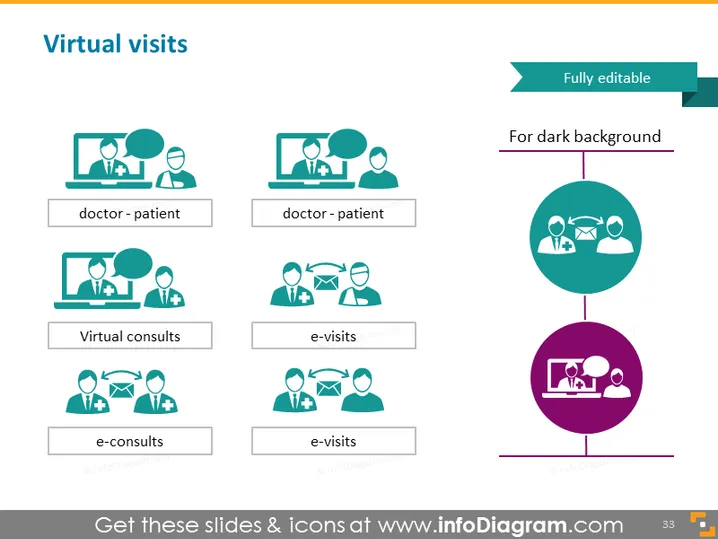
Virtual visits
Slide Content
The slide, titled "Virtual visits," presents a selection of graphics and text describing different forms of telemedicine interactions. There are two main categories depicted: "doctor-patient," which implies a direct interaction between a healthcare provider and a patient, and "e-visits," suggesting a broader term that could include more general online healthcare services. "Virtual consults" and "e-consults" are variations showing the diversification of telemedicine services, possibly indicating scheduled and on-demand consultation services respectively.
Graphical Look
- Two rows of iconographic representations, with four icons each, against a clean white background.
- The icons are composed of human figures and healthcare symbols to visually represent the concepts of virtual medical interactions.
- Each icon is accompanied by a text label, using a sans-serif font, indicating the type of virtual visit it represents.
- The icons and texts are in a teal color, with the exception of one circle in the vertical middle-right that contains icons displayed in white on a teal and a purple background, hinting at adaptability for different slide backgrounds.
- At the upper right, there's a teal ribbon labeled "Fully editable" and an additional text stating "For dark background," which suggests that elements within the slide can be customized accordingly.
The slide features a simple and organized layout to effortlessly convey the different aspects of virtual medical consultations. The use of color is uniform, creating a cohesive visual appeal that emphasizes the content.
Use Cases
- To explain the concepts and types of telemedicine services during a healthcare industry presentation.
- For training medical staff and administrators on the various modes of virtual patient engagement.
- As part of a proposal or pitch to healthcare providers to demonstrate the value and efficiency of implementing telehealth solutions.
- In investor presentations to highlight the offerings and scalability of a telehealth platform or service.
How to Edit
How to edit text & colors

How to expand / shorten diagram

How to Replace Icons in infoDiagram PPT


