
Reviews
Ihre Grafiken verleihen meinen Präsentationen eine nette Note, und ich habe sie kürzlich für eines meiner All-Hands-Meetings verwendet. Ihre Toolbox verleiht meinen Folien Professionalität, anstatt Standard-Clipart zu verwenden.
Ich brauchte einen neuen Blick auf einige meiner Folien. Ich habe versucht, einen Weg zu finden, einen Pinselschlag-Effekt zu erzielen, um zu unterstreichen, hervorzuheben, Farbe hinzuzufügen, und die handgeschriebenen Markierungen waren genau das Richtige. Sehr einfach zu bedienen, leicht in der Größe zu ändern, die Farbe zu ändern. Es war eine erschwingliche, perfekte Lösung und ich empfehle sie gerne weiter.
Die klare, saubere Optik der Grafiken und die Tatsache, dass ich die Farben leicht bearbeiten und an die Vorlage anpassen konnte, war mein Hauptgrund für den Kauf.
Description
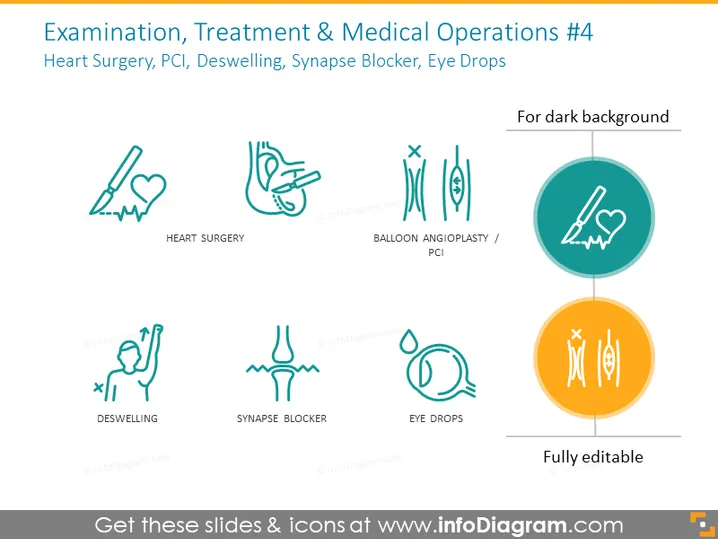
Examination, Treatment & Medical Operations #4
Slide Content
The PowerPoint slide presents medical procedures and treatments, each paired with an icon. "Heart Surgery" is depicted as a scalpel cutting through a heart outline, symbolizing the invasive nature of the procedure. "Balloon Angioplasty/PCI" shows a stylized representation of a heart artery being widened, referencing a common cardiac intervention. "Deswelling" is illustrated with a figure and arrows, potentially indicating the reduction of swelling in a body part. "Synapse Blocker" employs a simple graphic of a neuron with a block symbol, suggesting the interruption of nerve signaling. "Eye Drops" is represented by a droplet and an eye, clearly indicating the application of medication to the eye.
Graphical Look
- The slide's background is light with a gentle gradient effect.
- Five icons are arranged in a horizontal format, each accompanied by a label underneath.
- Icons are simple line drawings with a teal color, except for the "Heart Surgery" icon highlighted in a circle with a different color.
- The "Heart Surgery" icon is colored orange within its circle background, making it stand out from the rest.
- Each icon symbolizes a medical treatment or procedure and is paired with text labels for clarification.
- The top right corner features a note indicating the slide is suitable "For dark background," suggesting the icons can be adapted for different slide backgrounds.
- The slide has one dominant orange element contrasted against the teal icons, creating a visual hierarchy.
The slide is clean and professional in appearance, using minimalistic iconography to convey complex medical procedures. The color contrast helps to guide viewers' attention to different elements of the presentation.
Use Cases
- In a healthcare or medical conference, to visually summarize various treatment options.
- During medical training or education sessions to illustrate different procedures and treatments.
- In a hospital or clinic presentation to explain patient care processes or services offered.
- Within pharmaceutical or medical device sales meetings, to showcase the ways in which a product may be useful or necessary for certain medical procedures.
How to Edit
How to edit text & colors

How to expand / shorten diagram

How to Replace Icons in infoDiagram PPT


