
Reviews
Sus gráficos añaden un toque agradable a mis presentaciones y recientemente los usé para una de mis reuniones generales. Su conjunto de herramientas añade profesionalismo a mis diapositivas. En lugar de usar imágenes prediseñadas estándar.
Necesitaba un aspecto fresco para algunas de mis diapositivas. Había intentado encontrar una forma de crear un efecto de pincel, de subrayar, acentuar, añadir algo de color y los marcadores escritos a mano fueron justo lo que necesitaba. Muy fácil de usar, fácil de ajustar el tamaño, cambiar el color. Fue una solución asequible y perfecta, y estoy feliz de recomendarla.
El aspecto nítido y limpio de los gráficos, y el hecho de que me permitiera editar y cambiar fácilmente los colores para que coincidieran con la plantilla fue mi principal razón para comprarlos.
Description
Measure Indicators Icons
Slide Content
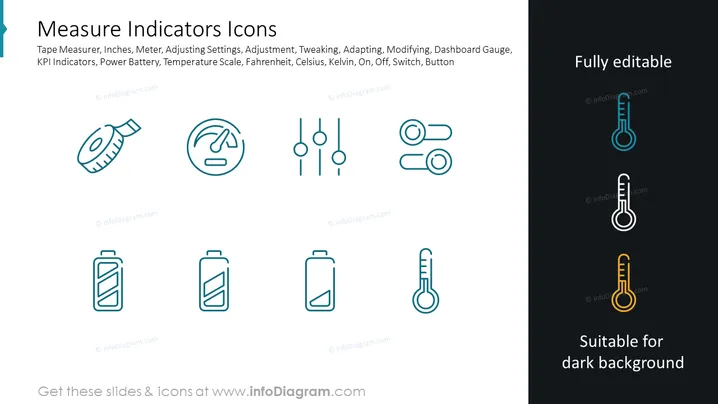
The slide presents a collection of icons associated with measurement and indicators. These include a tape measure representing inches, meters, and physical dimensions; a round gauge for adjustments, tweaking, and settings; slider controls indicating adjustment and modification levels; a toggle switch for binary on/off states; two battery icons reflecting power levels or battery status; and two distinct thermometer icons, one with a blue accent suggesting cooler temperatures (Fahrenheit, Celsius) and the other with a yellow accent possibly symbolizing higher temperatures (Kelvin).
Graphical Look
- The slide has a clean, modern design with a white background on the left and a dark background on the right.
- There are nine stylized icons displayed in two rows, with the top row containing four icons and the bottom row featuring five.
- Each icon is monochromatic, primarily in a turquoise blue color, except on the right side where two thermometer icons are shown in a dual-tone with blue and white on a dark background and yellow and white suitable for that background.
- All icons are accompanied by descriptive text in a small, light font, suggesting their functions or associated measurement units like inches, settings, or temperature scales.
- The slide title "Measure Indicators Icons" is prominently displayed at the top in a large, bold font.
- Additional text at the top right corner says "Fully editable" and at the bottom right "Suitable for dark background", both emphasizing the customizable nature of the icons for presentation needs.
- Icons are simple, using minimal design, ensuring they are quickly understandable and their contours easily distinguishable.
The slide boasts a minimalist and professional aesthetic. The use of contrasting colors and the division between light and dark backgrounds emphasize the adaptability of the icons for different presentation styles.
Use Cases
- Showcasing various measurement tools and the concept of metrics in a business performance dashboard.
- Demonstrating the different types of settings and adjustments in a product feature presentation.
- Illustrating battery life and power status in a technical explanation of electronic devices.
- Emphasizing temperature ranges and controls in environmental or scientific presentations.
How to Edit
How to edit text & colors

How to expand / shorten diagram

How to Replace Icons in infoDiagram PPT


