
Reviews
Your slides are my 'secret sauce' when it comes to visualising my ideas to clients. I'm saving so much time.
InfoDiagram has been a wonderful resource since I found the product site a few years ago.
Your slides often generate good comments and ideas from my team that improve the final slides.
Description
May (US)
Slide Content
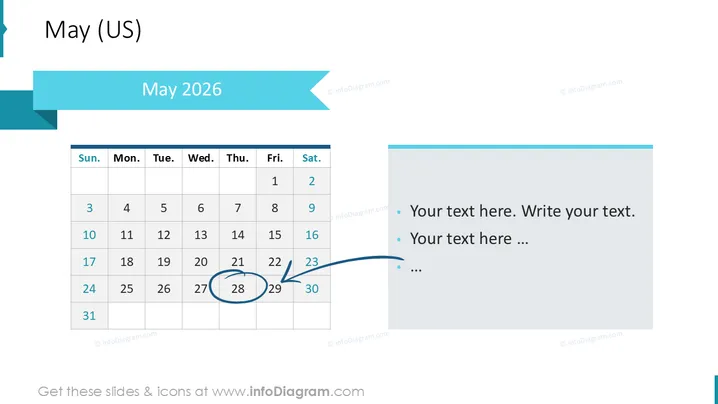
The slide is titled "May (US)" and presents a calendar for May 2026 . The calendar highlights the date May 29th with a blue circle and a blue arrow pointing to it, suggesting a particular emphasis or event on that day. Alongside the calendar is a text placeholder with bullet points for the user to add custom text. Each bullet point can be elaborated with details about the event or activities scheduled for the emphasized date.
Graphical Look
- Light blue horizontal banner with a darker shade at the top for the title
- The title "May 2025" is bold and centered on the banner
- A standard calendar grid for May 2025 is presented on the left side of the slide
- The date May 29 is circled in blue and has a blue arrow pointing towards it
- Three bullet points with placeholder text "Your text here. Write your text." on the right side for customizable entries
- The bullet point area has a light blue vertical banner aligning with the top horizontal banner
- The slide has a plain white background that contrasts with the colored elements
The overall look of the slide is clean and professional with a cohesive color scheme that uses different shades of blue. It's visually balanced with graphical elements that highlight the important date and provide space for notes or descriptions.
Use Cases
- Planning and illustrating key business events that occur on a specific date in May 2025.
- Highlighting important deadlines for projects or deliverable submissions in a timeline format.
- Scheduling and presenting company-wide meetings, holidays, or other significant events to stakeholders.
- Summarizing activities planned around a certain date and providing an overview to team members during a presentation.
How to Edit
How to edit text & colors

How to expand / shorten diagram

How to Replace Icons in infoDiagram PPT


