
Reviews
Ihre Grafiken verleihen meinen Präsentationen eine nette Note, und ich habe sie kürzlich für eines meiner All-Hands-Meetings verwendet. Ihre Toolbox verleiht meinen Folien Professionalität, anstatt Standard-Clipart zu verwenden.
Ich brauchte einen neuen Blick auf einige meiner Folien. Ich habe versucht, einen Weg zu finden, einen Pinselschlag-Effekt zu erzielen, um zu unterstreichen, hervorzuheben, Farbe hinzuzufügen, und die handgeschriebenen Markierungen waren genau das Richtige. Sehr einfach zu bedienen, leicht in der Größe zu ändern, die Farbe zu ändern. Es war eine erschwingliche, perfekte Lösung und ich empfehle sie gerne weiter.
Die klare, saubere Optik der Grafiken und die Tatsache, dass ich die Farben leicht bearbeiten und an die Vorlage anpassen konnte, war mein Hauptgrund für den Kauf.
Description
May, June
Slide Content
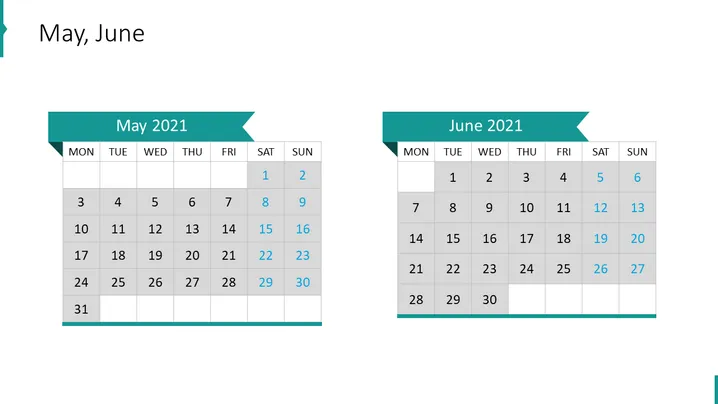
The PowerPoint slide is titled "May, June" and it consists of two calendar blocks, each representing the months May 2021 and June 2021, respectively. The calendars are laid out in a standard Monday to Sunday format, with specific dates highlighted to possibly indicate special events or milestones. Notably, the dates 8, 15, 22, and 29 in May, and 5, 12, 19, 26 in June are distinguished, which may suggest recurring weekly events or notable days within those months.
Graphical Look
- The slide background is white, giving a clean and minimalistic appeal.
- Two large calendar blocks are centered on the slide, one for each month, with a slight overlap.
- Each calendar block has a colored ribbon header with the month and year in bold text.
- Days of the week are labeled at the top of each calendar in a row with abbreviated format: MON, TUE, WED, etc.
- Individual dates are arranged in a grid format with rows representing weeks.
- Highlighted dates have a colored block background, making them stand out against the other dates.
- The calendric grids are subtly shadowed, giving a slight 3D effect and enhancing readability.
- The overall design is modern and utilizes a contrasting teal color for emphasis.
The slide design is modern and highly functional, with a focus on clarity and ease of viewing. The use of color to highlight specific dates is effective in drawing attention to important entries without overwhelming the viewer.
Use Cases
- This slide can be used in a corporate presentation to outline project timelines or deadlines.
- It can serve as part of a monthly report presentation to spotlight key dates, such as meetings or milestones.
- For event planning or coordination meetings, these slides could be used to indicate booking dates or availability schedules.
- Educational or training institutions might utilize this slide format to display academic calendars and important academic dates.
How to Edit
How to edit text & colors

How to expand / shorten diagram

How to Replace Icons in infoDiagram PPT


