
Reviews
Sus gráficos añaden un toque agradable a mis presentaciones y recientemente los usé para una de mis reuniones generales. Su conjunto de herramientas añade profesionalismo a mis diapositivas. En lugar de usar imágenes prediseñadas estándar.
Necesitaba un aspecto fresco para algunas de mis diapositivas. Había intentado encontrar una forma de crear un efecto de pincel, de subrayar, acentuar, añadir algo de color y los marcadores escritos a mano fueron justo lo que necesitaba. Muy fácil de usar, fácil de ajustar el tamaño, cambiar el color. Fue una solución asequible y perfecta, y estoy feliz de recomendarla.
El aspecto nítido y limpio de los gráficos, y el hecho de que me permitiera editar y cambiar fácilmente los colores para que coincidieran con la plantilla fue mi principal razón para comprarlos.
Description
Square ribbon matrix
Slide Content
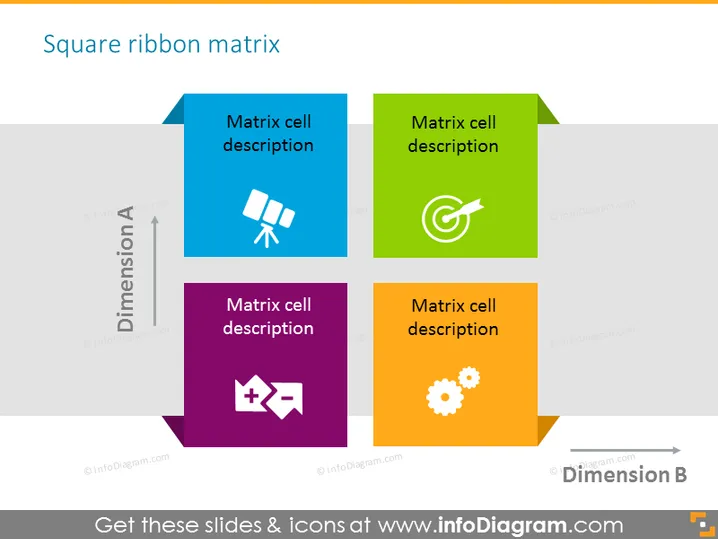
The slide presents a "Square ribbon matrix" consisting of four colored squares representing matrix cells, each containing an icon and placeholder text for a description. The cells are organized to create a 2x2 matrix indicating a relationship between two dimensions, labeled "Dimension A" and "Dimension B." Each matrix cell's color, icon, and description offer a unique aspect that needs to be detailed, explaining how different elements relate within the matrix.
Graphical Look
- Four distinct squares in blue, green, purple, and orange are arranged to form a square matrix.
- Each square contains a white icon and placeholder text "Matrix cell description" in white font.
- Gray ribbons overlay the squares at the top and bottom, with arrows and text indicating "Dimension A" and "Dimension B."
- The font of the slide title "Square ribbon matrix" is bold and large for emphasis.
- The slide uses a white background, allowing the colored matrix cells to stand out.
- The design is minimalist, with clean lines and simple shapes to convey information clearly.
The overall look of the slide is clean and modern, with a clear focus on the matrix structure. The use of bright colors and distinct icons helps differentiate the elements of the matrix.
Use Cases
- To analyze and present relationships or correlations between two different variables or dimensions in a business context.
- In strategic planning sessions to map out different strategies or initiatives based on varying criteria.
- To showcase a SWOT analysis (Strengths, Weaknesses, Opportunities, Threats) where each quadrant represents a different aspect.
- In product development meetings to compare features, benefits, or competitive positioning across different dimensions.
How to Edit
How to edit text & colors

How to expand / shorten diagram

How to Replace Icons in infoDiagram PPT


