
Reviews
Sus gráficos añaden un toque agradable a mis presentaciones y recientemente los usé para una de mis reuniones generales. Su conjunto de herramientas añade profesionalismo a mis diapositivas. En lugar de usar imágenes prediseñadas estándar.
Necesitaba un aspecto fresco para algunas de mis diapositivas. Había intentado encontrar una forma de crear un efecto de pincel, de subrayar, acentuar, añadir algo de color y los marcadores escritos a mano fueron justo lo que necesitaba. Muy fácil de usar, fácil de ajustar el tamaño, cambiar el color. Fue una solución asequible y perfecta, y estoy feliz de recomendarla.
El aspecto nítido y limpio de los gráficos, y el hecho de que me permitiera editar y cambiar fácilmente los colores para que coincidieran con la plantilla fue mi principal razón para comprarlos.
Description
DATA TRANSFORMATION AND SEGMENTATION
Slide Content
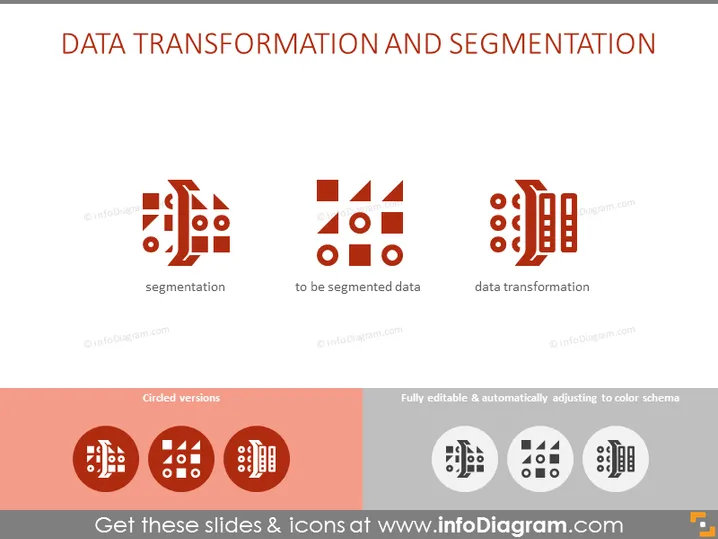
The PowerPoint slide titled "DATA TRANSFORMATION AND SEGMENTATION" emphasis the integral concepts of processing data. 'Segmentation' refers to the division of data into smaller, relevant groups. 'To be segmented data' describes the prepared dataset that will undergo such division. 'Data transformation' denotes the processes that alter data formats or structures, often as preparation for analysis.
Graphical Look
- The slide is organized into two rows each containing different elements.
- The top row features three pairs of icons and associated text labels: "segmentation," "to be segmented data," and "data transformation."
- Each pair consists of a larger icon on the left and a smaller one on the right, representing different stages or aspects of the data process.
- The icons are a mix of geometric shapes like triangles, rectangles, and circles meant to symbolize segmented data and transformation processes.
- The bottom row displays the words "Circled versions" on the left and "Fully editable & automatically adjusting to color schema" on the right, with corresponding icon examples underneath.
- The slide uses a minimalistic color scheme primarily in shades of red, gray, and white against a light background.
The overall look of the slide is clean and modern, leveraging a simple color palette and icons to convey complex data processes visually. The design allows viewers to quickly grasp the concepts through straightforward graphical representations.
Use Cases
- To explain the steps of data processing during internal team meetings or training sessions.
- In a pitch to potential clients showcasing the expertise in data handling, segmentation, and transformation services.
- Within educational settings, as part of a lecture or course material on data science or analytics.
- As a visual aid in a webinar or online course about data management techniques.
How to Edit
How to edit text & colors

How to expand / shorten diagram

How to Replace Icons in infoDiagram PPT


