
Reviews
Your slides are my "secret sauce" when it comes to presenting my ideas to clients. I save a lot of time.
J'avais un délai de livraison à respecter et je n'avais pas le temps de créer une variété de modèles de diapositives. Infodiagram m'a proposé des options faciles à télécharger et à personnaliser en fonction de mes besoins !
Vos diapositives suscitent souvent de précieux commentaires et idées de la part de mon équipe, ce qui améliore les diapositives finales.
Description
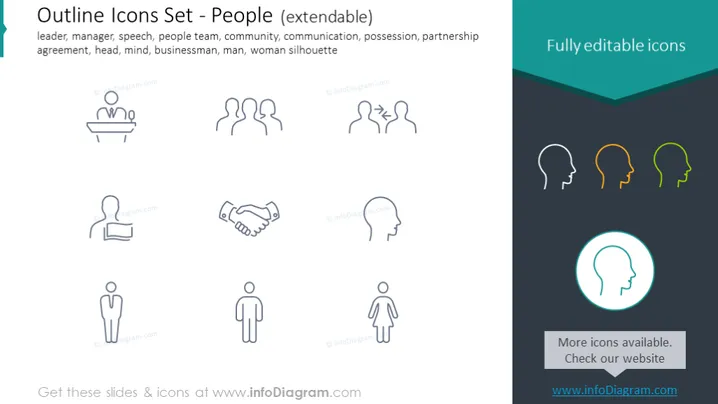
Outline Icons Set - People (extendable)
Slide Content
The PowerPoint slide presents a collection of "Outline Icons Set - People," which are extendable and fully editable. The icons represent various concepts related to people and roles in a community or organization, such as a leader, manager, and speaker, suggesting usage for presentations involving team composition, roles, and interpersonal skills. Each icon translates a concept as follows: the "leader" illustrates guidance or authority; "speech" indicates communication or presentation; "people team" reflects collaboration or teamwork; and "agreement" symbolizes consensus or partnership.
Graphical Look
- The slide background is white, providing a clean and minimalist look.
- There is a prominent teal header with the phrase "Fully editable icons" in white, angled slightly upwards.
- Eight icons are presented in two rows of four, each with a label underneath in light gray text.
- The icons are simple and line-based, suggesting they are easy to understand and universal in interpretation.
- The icons are outlined in a light gray, providing a subtle contrast against the white background.
- The right side features a sidebar in teal with the text "More icons available. Check our website" and a web address, which adds an informative yet non-distracting element.
- A stylized icon of a head, highlighted with a teal circle and a partial teal fill, draws attention to additional resources.
The overall look of the slide is modern and professional with a color scheme limited to teal, white, and light gray. The icons are designed with simplicity in mind, enabling clear communication of concepts without visual clutter.
Use Cases
- To outline different roles or departments in a corporate presentation or organizational overview.
- For illustrating teamwork and collaboration in project management slides or teamwork workshops.
- As visual aids in HR presentations to depict various competencies, job positions, or personnel structure.
- In educational materials to symbolize different social roles, communication skills, or aspects of community engagement.
I'm sorry, but there is no image attached to your request. If you provide an image of the PowerPoint slide, I can describe it for you as instructed.
How to Edit
How to edit text & colors

How to expand / shorten diagram

How to Replace Icons in infoDiagram PPT


