
Reviews
Your graphics add a nice touch to my presentations and I recently used them for one of my all-hands meetings. Your toolbox adds professionalism to my slides. Instead of using standard clipart.
I needed a fresh look at some of my slides. I've tried to find a way to create a paintbrush effect, to underline, accentuate, add some color and the handwritten markers were just the things. Very easy to use, easy to size, change the color. It was an affordable, perfect solution and I'm happy to recommend it.
The crisp, clean look of the graphics, and the fact that it allowed me to easily edit and change the colors to match the template was my main reason for purchasing them.
Description
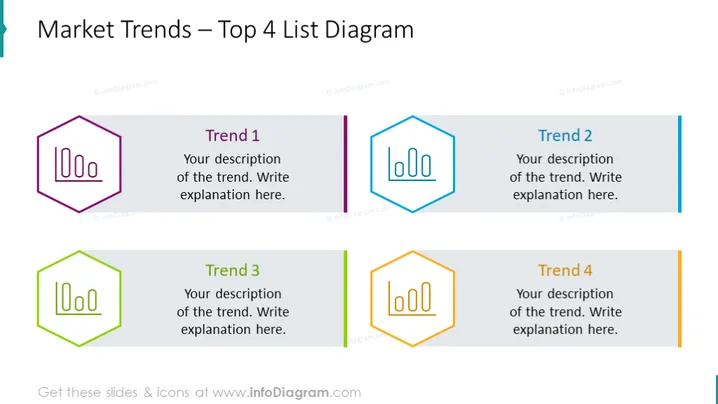
Market Trends – Top 4 List Diagram
Slide Content
The slide is titled "Market Trends – Top 4 List Diagram" and is structured to highlight four key trends, with dedicated spaces for their descriptions. "Trend 1" and "Trend 2" are shown on the top row, with "Trend 3" and "Trend 4" positioned on the bottom. Each trend is labeled with a numeral and is accompanied by a placeholder for a description, signifying an area where a detailed explanation of the trend is intended to be inserted.
Graphical Look
- The slide has a clean, professional design with a white background.
- There are four hexagon-shaped icons, each with a unique color outline: purple, blue, green, and orange.
- Adjacent to each hexagon icon is a corresponding colored vertical banner labeled with "Trend 1" to "Trend 4".
- Each trend banner has a placeholder text box for a description adjacent to it.
- The icons are stylized bar charts within the hexagons, providing a visual representation of data.
The overall look is modern and organized, utilizing color coding to differentiate between the four trends. The design is simple, allowing for clear presentation of information without visual clutter.
Use Cases
- Presenting key market trends in a business strategy meeting or marketing presentation.
- Outlining top product features or services in a sales pitch or product launch presentation.
- Highlighting areas of focus or priorities in a project management update.
- Showcasing competitive analysis or industry benchmarking in a corporate report or investor briefing.
How to Edit
How to edit text & colors

How to expand / shorten diagram

How to Replace Icons in infoDiagram PPT


