

Your graphics add a nice touch to my presentations and I recently used them for one of my all-hands meetings. Your toolbox adds professionalism to my slides. Instead of using standard clipart.
Claude Jones, Director of Engineer, @Walmartlabs, USA

Your graphics add a nice touch to my presentations and I recently used them for one of my all-hands meetings. Your toolbox adds professionalism to my slides. Instead of using standard clipart.
Claude Jones, Director of Engineer, @Walmartlabs, USA
I needed a fresh look at some of my slides. I've tried to find a way to create a paintbrush effect, to underline, accentuate, add some color and the handwritten markers were just the things. Very easy to use, easy to size, change the color. It was an affordable, perfect solution and I'm happy to recommend it.
Anonymous, US
The crisp, clean look of the graphics, and the fact that it allowed me to easily edit and change the colors to match the template was my main reason for purchasing them.
Brandie Jenkins, E-learning Developer, USA
##Slide content:
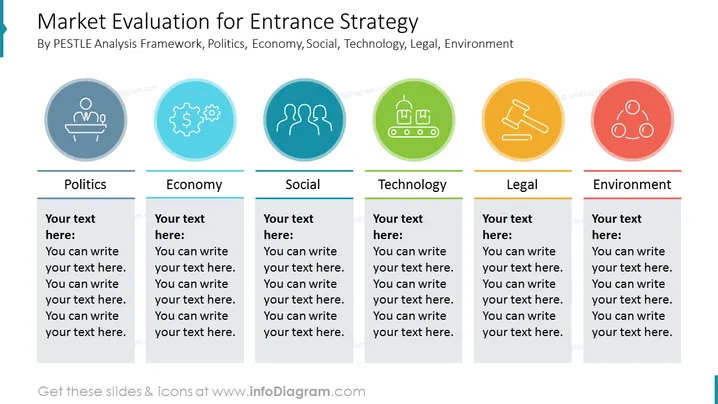
The market entry strategy examples slide is a great way to present your evaluation through the PESTLE (Politics, Economy, Social, Technology, Legal, Environmental) analysis. Explain briefly what are the political factors for entering a foreign market, like open tenders for foreign investors, economical factors like the GDP per capita and purchasing power, society's reaction to your product or service, access to technology, legal bureaucracies and taxes, and environmental consequences. Having such presentation with a thorough research could benefit your business as potential investors would accept funding you, and minimizing the risks of expanding could bring you profits. These are some of the examples that we recommend you, however, based on your line of work you can add your comments and adjust everything that you find suitable. You can download this presentation in Google Slides and Keynote too, without any quality loss. Click on the slide to see the whole Go To Market Strategy presentation template.
##Slide infographic description:
Flat Style Outline Icons, Judge Icon, Economy Icon, Society Icon, Manufacturing Icon, Law Icon, Environment Icon, Line Vectors, Text Blocks



