
Reviews
Ihre Grafiken verleihen meinen Präsentationen eine nette Note, und ich habe sie kürzlich für eines meiner All-Hands-Meetings verwendet. Ihre Toolbox verleiht meinen Folien Professionalität, anstatt Standard-Clipart zu verwenden.
Ich brauchte einen neuen Blick auf einige meiner Folien. Ich habe versucht, einen Weg zu finden, einen Pinselschlag-Effekt zu erzielen, um zu unterstreichen, hervorzuheben, Farbe hinzuzufügen, und die handgeschriebenen Markierungen waren genau das Richtige. Sehr einfach zu bedienen, leicht in der Größe zu ändern, die Farbe zu ändern. Es war eine erschwingliche, perfekte Lösung und ich empfehle sie gerne weiter.
Die klare, saubere Optik der Grafiken und die Tatsache, dass ich die Farben leicht bearbeiten und an die Vorlage anpassen konnte, war mein Hauptgrund für den Kauf.
Description
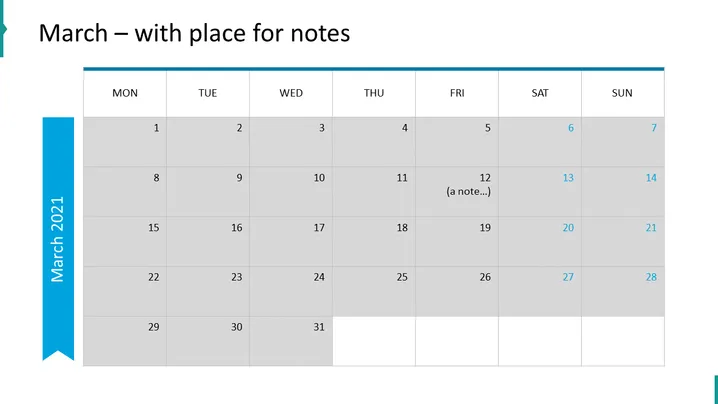
March – with place for notes
Slide Content
The PowerPoint slide appears to be a calendar template for the month of March, labeled "March – with place for notes." It is structured as a standard monthly calendar with rows representing weeks and columns representing days from Monday to Sunday. Within this layout, the dates are filled in from the 1st to the 31st. The 12th has an example entry that reads "(a note...)," indicating where users could add their own notes or appointments.
Graphical Look
- The background of the slide is white.
- A large, light blue ribbon runs vertically on the left side, with the words "March 2021" in white font oriented vertically.
- The title "March – with place for notes" is placed at the top in large, dark text.
- Below the title is the calendar grid with 7 columns for each day of the week labeled MON through SUN, shades of grey alternating for ease of viewing.
- Each date is placed within its own cell, with the cells in alternating shades of light and darker grey to distinguish the weeks.
- One of the cells, corresponding to the date "12," includes a small text "(a note...)" in it, suggesting the ability to add notes on specific dates.
The overall look of the slide is clean and professional with a color scheme that is neutral, aside from the blue accent on the left. The alternating grey tones help differentiate between the days and make it visually easy to navigate.
Use Cases
- Planning and scheduling events and meetings for a particular month in a professional business setting.
- Sharing a visual representation of project timelines and key milestones with team members during a project management presentation.
- Distributing among staff or team members for noting important company dates, such as deadlines or corporate events.
- Incorporating into a personal organization system during a time management or productivity workshop.
How to Edit
How to edit text & colors

How to expand / shorten diagram

How to Replace Icons in infoDiagram PPT


