
Reviews
Your slides are my 'secret sauce' when it comes to visualising my ideas to clients. I'm saving so much time.
InfoDiagram has been a wonderful resource since I found the product site a few years ago.
Your slides often generate good comments and ideas from my team that improve the final slides.
Description
March (US)
Slide Content
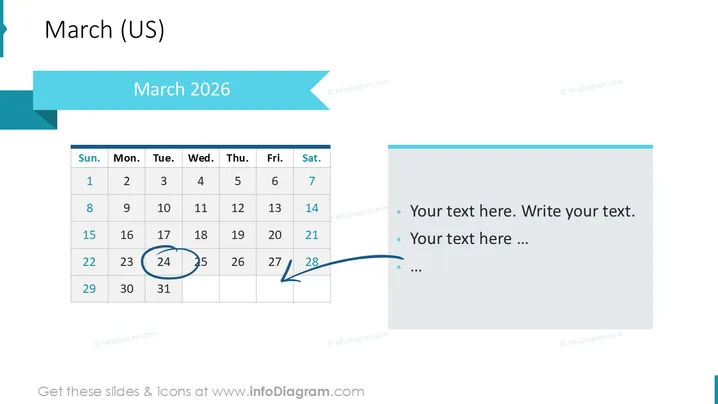
The slide displayed is a calendar for March 2026 and includes placeholders for custom text. The calendar highlights the date Wednesday, 18th March, with a blue circle and traces a blue arrow pointing towards the text placeholder, suggesting an event or important note that could be detailed there. A second highlight is placed on Saturday, 22nd March, again indicating the significance of this date. The text placeholders are bulleted, cueing the presenter or reader to insert their own detailed descriptions or notes pertaining to the highlighted dates.
Graphical Look
- A large, bold title "March (US)" at the top left of the slide.
- Below the title is a ribbon-styled banner with the text "March 2025" aligned left.
- A traditional calendar layout occupies the left side of the slide, showing days Sunday through Saturday.
- The dates Wednesday, 18th March, and Saturday, 22nd March are highlighted with a blue circle and direct a blue arrow, respectively, to the right side of the slide.
- On the right, a text box with bullet points provides space for custom content with the placeholder text "Your text here. Write your text." and continues with ellipses.
- The slide background is white, emphasizing the simplicity and clarity of the design.
The overall look of the slide is clean and professional. The use of blue highlights and arrows adds an element of visual interest while directing attention to specific dates and corresponding notes.
Use Cases
- Planning and outlining key dates and events in a corporate setting, such as project milestones or deadlines.
- Describing specific tasks or appointments associated with particular calendar days during a presentation.
- Providing an overview of a month with important dates highlighted for educational or training purposes.
- Creating an interactive schedule during a live meeting or webinar where participants can visualize timeframes and plan accordingly.
How to Edit
How to edit text & colors

How to expand / shorten diagram

How to Replace Icons in infoDiagram PPT


