
Reviews
Your slides are my 'secret sauce' when it comes to visualising my ideas to clients. I'm saving so much time.
InfoDiagram has been a wonderful resource since I found the product site a few years ago.
Your slides often generate good comments and ideas from my team that improve the final slides.
Description
March, April (US)
Slide Content
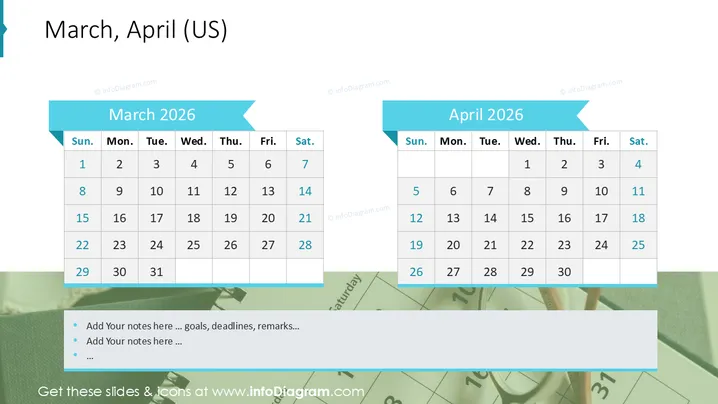
The PowerPoint slide presents calendars for March and April 2026 . Each month is displayed in a separate table with rows representing weeks and columns for each day of the week, indicating a clear and organized view of the two consecutive months. These calendars are useful for planning and tracking events over a two-month period.
Graphical Look
- Two calendar tables, one for March 2025 and the other for April 2025, are placed side by side.
- Each table is accompanied by a header ribbon with the month's name.
- The days of the week are labeled at the top of each table in columns, and dates are listed down each column for the respective weeks.
- The table for March shows the dates starting from the 2nd to the 31st, while April's dates run from the 1st to the 30th.
- The headers for the days of the week and the dates are in contrasting colors to enhance readability.
- There are arrow-like graphical elements in the header ribbons pointing towards each table.
The overall visual look of the slide is simple and professional. It uses a clean design with a color scheme that provides good contrast for easy viewing of the calendar dates.
Use Cases
- Planning and scheduling meetings, deadlines, and events over a two-month period in a corporate environment.
- Displaying project timelines and milestone achievements for reports or presentations.
- Serving as an agenda visual for conferences, workshops, and seminars scheduled in March and April.
- Tracking progress and deadlines in academic or training programs within the displayed months.
How to Edit
How to edit text & colors

How to expand / shorten diagram

How to Replace Icons in infoDiagram PPT


