
Reviews
Vos graphiques ajoutent une belle touche à mes présentations et je les ai récemment utilisés pour l'une de mes réunions générales. Votre boîte à outils ajoute du professionnalisme à mes diapositives. Au lieu d'utiliser des cliparts standards.
J'avais besoin d'un nouveau regard sur certaines de mes diapositives. J'ai essayé de trouver un moyen de créer un effet de pinceau, de souligner, d'accentuer, d'ajouter de la couleur et les marqueurs manuscrits étaient exactement ce qu'il fallait. Très facile à utiliser, facile à ajuster la taille, à changer la couleur. C'était une solution abordable et parfaite et je suis heureux de la recommander.
L'aspect net et épuré des graphiques, et le fait qu'il m'ait permis d'éditer et de changer facilement les couleurs pour les adapter au modèle, ont été les principales raisons de mon achat.
Description
March, April
Slide Content
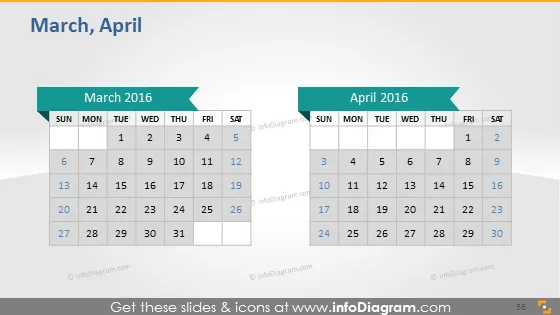
The slide presents side-by-side monthly calendars for March 2016 and April 2016. Each month has a header indicating the month and year, with dates arranged in a traditional Sunday to Saturday format. Emphasis is placed on the 26th of March and the 9th of April, suggesting these dates may be significant for the topic at hand. This slide format is especially useful for visually representing timelines, important dates, deadlines, or event schedules in a clear and organized manner.
Graphical Look
- Two separate calendar blocks, one for March and one for April, each with a slightly raised effect.
- The months' names are written in bold at the top of each calendar, coupled with a matching left-pointing ribbon shape that contains the year.
- Days of the week headers are labeled in the top row of each calendar, with abbreviation formatting.
- Individual dates are presented in grid format with rows representing weeks.
- The 26th of March and the 9th of April are highlighted with a blue circle, drawing attention to these days.
- The background of the slide is gray, and each calendar has a drop shadow effect, giving a sense of depth.
The slide has a clean, business-like aesthetic with a simple color scheme and a clear focus on the dates. The shading and shadow effects provide a three-dimensional look to the otherwise flat calendar presentation.
Use Cases
- Planning and scheduling project timelines during business meetings or project management seminars.
- Highlighting important company milestones or events during an annual general meeting.
- Outlining availability or deadlines in human resources or team capacity planning sessions.
- Visualizing marketing campaign schedules in strategy discussions or promotional planning.
How to Edit
How to edit text & colors

How to expand / shorten diagram

How to Replace Icons in infoDiagram PPT


