
Reviews
Ihre Grafiken verleihen meinen Präsentationen eine nette Note, und ich habe sie kürzlich für eines meiner All-Hands-Meetings verwendet. Ihre Toolbox verleiht meinen Folien Professionalität, anstatt Standard-Clipart zu verwenden.
Ich brauchte einen neuen Blick auf einige meiner Folien. Ich habe versucht, einen Weg zu finden, einen Pinselschlag-Effekt zu erzielen, um zu unterstreichen, hervorzuheben, Farbe hinzuzufügen, und die handgeschriebenen Markierungen waren genau das Richtige. Sehr einfach zu bedienen, leicht in der Größe zu ändern, die Farbe zu ändern. Es war eine erschwingliche, perfekte Lösung und ich empfehle sie gerne weiter.
Die klare, saubere Optik der Grafiken und die Tatsache, dass ich die Farben leicht bearbeiten und an die Vorlage anpassen konnte, war mein Hauptgrund für den Kauf.
Description
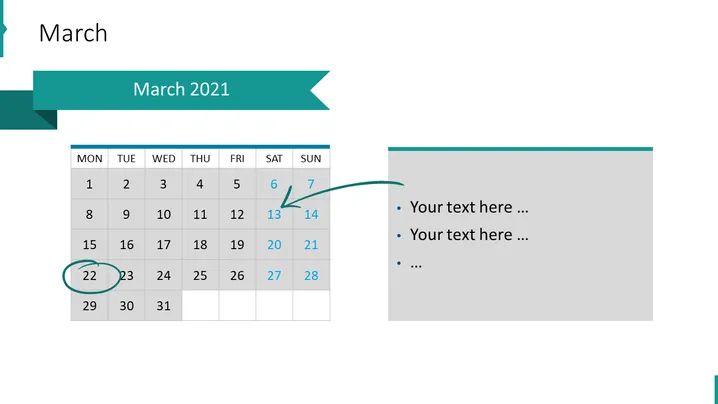
March 2021
Slide Content
The slide titled "March 2021" features a calendar for the month of March with specific dates highlighted or indicated, such as the 6th, 13th, 14th, and significantly the 22nd, which is circled. There is a placeholder text section to the right that prompts to "Your text here ..." which suggests additional information or notes can be added here, possibly explaining the significance of the highlighted dates or any events or reminders that are scheduled for those days.
Graphical Look
- The slide background is white.
- The primary title "March" is large and positioned at the top left of the slide.
- A ribbon banner displays the secondary title "March 2021" on the top, spanning across the left side of the slide.
- There is a calendar on the left side of the slide which consists of gray and teal grid cells, indicating days of the week and dates.
- Some of the calendar dates are highlighted with a teal background.
- The number 22 is encircled with a green stroke, drawing attention to this specific date.
- There is an arrow pointing from the 13th to the 14th, suggesting a transition or continuity.
- A rectangular gray text box resides on the right side with a bullet list for adding custom text.
- The entire slide has a cohesive color palette composed of teal, green, gray, and white.
The slide has a professional and clean design, with a visually balanced layout that combines textual information and visual cues effectively.
Use Cases
- To present key dates or milestones in a project timeline.
- To highlight important company-wide events, holidays, or deadlines.
- For educational or training purposes to outline the schedule of classes, exams, or important academic dates.
- In personal planning or coaching presentations to set goals or milestones for the upcoming month.
How to Edit
How to edit text & colors

How to expand / shorten diagram

How to Replace Icons in infoDiagram PPT


