

Your graphics add a nice touch to my presentations and I recently used them for one of my all-hands meetings. Your toolbox adds professionalism to my slides. Instead of using standard clipart.
Claude Jones, Director of Engineer, @Walmartlabs, USA

Your graphics add a nice touch to my presentations and I recently used them for one of my all-hands meetings. Your toolbox adds professionalism to my slides. Instead of using standard clipart.
Claude Jones, Director of Engineer, @Walmartlabs, USA
I needed a fresh look at some of my slides. I've tried to find a way to create a paintbrush effect, to underline, accentuate, add some color and the handwritten markers were just the things. Very easy to use, easy to size, change the color. It was an affordable, perfect solution and I'm happy to recommend it.
Anonymous, US
The crisp, clean look of the graphics, and the fact that it allowed me to easily edit and change the colors to match the template was my main reason for purchasing them.
Brandie Jenkins, E-learning Developer, USA
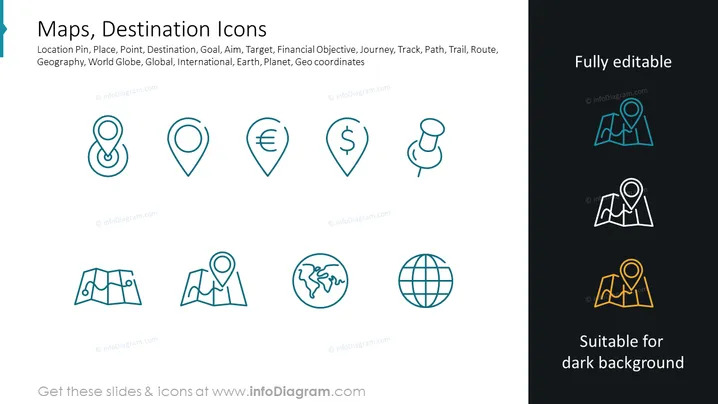
The PowerPoint slide is about "Maps, Destination Icons," showcasing a collection of icons representing various navigation and location concepts. These icons include a location pin symbolizing a place or destination and a location pin with a Euro sign representing a financial objective or economic destination. Additionally, there's a pin with a dollar sign for financial goals, a pushpin for marking specific points, a folded map indicating a journey or route, and a pin on a mountain for outdoor trails or paths. Other icons illustrate a globe with outlines of continents, signifying global reach or international presence, and a globe icon that represents the Earth or global concepts.
The slide has a modern, clean aesthetic with a balanced layout that emphasizes the icons. The consistent design style and coherent color scheme provide a professional look suitable for a variety of presentation contexts.



