
Reviews
Your graphics add a nice touch to my presentations and I recently used them for one of my all-hands meetings. Your toolbox adds professionalism to my slides. Instead of using standard clipart.
I needed a fresh look at some of my slides. I've tried to find a way to create a paintbrush effect, to underline, accentuate, add some color and the handwritten markers were just the things. Very easy to use, easy to size, change the color. It was an affordable, perfect solution and I'm happy to recommend it.
The crisp, clean look of the graphics, and the fact that it allowed me to easily edit and change the colors to match the template was my main reason for purchasing them.
Description
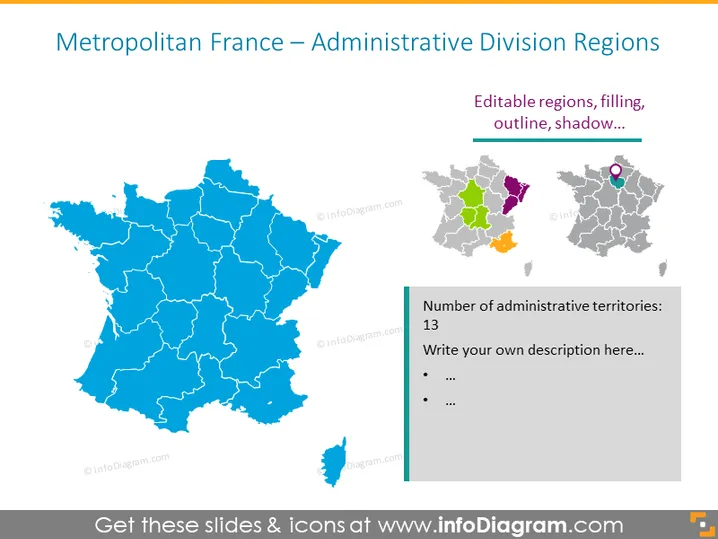
Metropolitan France – Administrative Division Regions
Slide Content
The slide is about the administrative division regions of Metropolitan France. It showcases the editable features of the regions such as filling, outline, and shadow options. The map is divided into regions, with a focus slide showing the highlighted region feature. A side panel mentions the number of administrative territories, which is 13, and prompts the user to add their own description.
Graphical Look
- A large map of France fills most of the slide, with regions outlined and colored in blue.
- A smaller map to the right shows a single highlighted region in various colors, emphasizing the editable feature of individual regions.
- A circular icon with a location pin is placed over the highlighted region on the smaller map, indicating an area of interest.
- A vertical text box next to the small map, which includes a heading and bullet points for additional information.
- The slide has a clean and modern look with a white background, accentuated by the colorful maps and text box.
The slide has a professional and crisp appearance, utilizing a blue and gray color palette. The contrast between the large blue map and the smaller multicolored map section draws attention to the editable region feature.
Use Cases
- To present regional sales or performance data in a business meeting, highlighting specific areas of interest.
- To use in an educational setting for geography or social studies lessons, demonstrating France's administrative divisions.
- For a strategic planning session involving regional analysis, such as market expansion or resource allocation.
- To illustrate demographic or electoral information in a political or social context, focusing on certain administrative territories.
How to Edit
How to edit text & colors

How to expand / shorten diagram

How to Replace Icons in infoDiagram PPT


