
Reviews
Your graphics add a nice touch to my presentations and I recently used them for one of my all-hands meetings. Your toolbox adds professionalism to my slides. Instead of using standard clipart.
I needed a fresh look at some of my slides. I've tried to find a way to create a paintbrush effect, to underline, accentuate, add some color and the handwritten markers were just the things. Very easy to use, easy to size, change the color. It was an affordable, perfect solution and I'm happy to recommend it.
The crisp, clean look of the graphics, and the fact that it allowed me to easily edit and change the colors to match the template was my main reason for purchasing them.
Description
Icons – Location
Slide Content
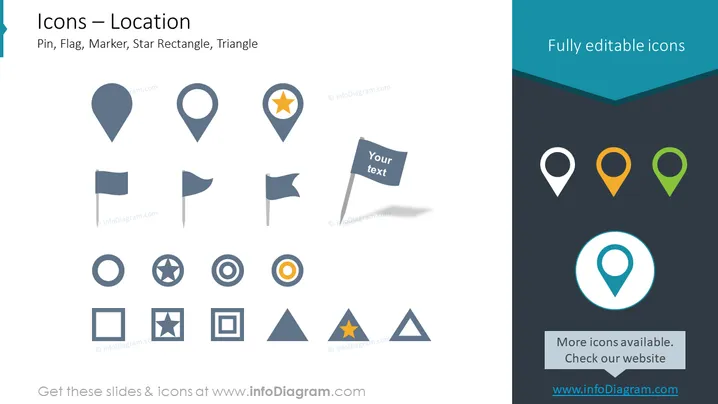
The PowerPoint slide is titled "Icons – Location" and it features a collection of icons representing various location markers such as pins, flags, and markers with different shapes like rectangles and triangles. These icons are used to visually represent geographic points of interest or positions on maps. The slide indicates that the icons are fully editable, suggesting that they can be customized to fit the user’s preferences or presentation themes.
Graphical Look
- The slide has a clean, professional background with a white and dark teal color scheme.
- It features a total of 12 icons arranged in two rows, with icons of location pins, flags, and geometric shapes representing locations.
- Each icon is stylized with a simple and modern design, featuring flat shapes and minimal details.
- Some of the icons incorporate secondary elements, such as a star or a target circle, to signify a special feature or precise location.
- One of the flags has a placeholder labeled "Your text," indicating the capability to add custom text.
- A prominent call-to-action “More icons available. Check our website” and the corresponding URL are placed in a separate box at the bottom of the slide.
- The upper right corner includes a text box with the phrase “Fully editable icons”.
The overall look of the slide is sleek and modern, designed to highlight the different icons without distractions. The color palette and graphics give a professional impression suitable for business presentations.
Use Cases
- Displaying company locations or office branches in business presentations.
- Highlighting points of interest or key locations in marketing materials for tourism or real estate.
- Customizing to show the distribution of assets or services in logistics and supply chain management presentations.
- Using in interactive digital content such as apps or websites that require intuitive location markers for navigation.
How to Edit
How to edit text & colors

How to expand / shorten diagram

How to Replace Icons in infoDiagram PPT


