
Reviews
Ihre Grafiken verleihen meinen Präsentationen eine nette Note, und ich habe sie kürzlich für eines meiner All-Hands-Meetings verwendet. Ihre Toolbox verleiht meinen Folien Professionalität, anstatt Standard-Clipart zu verwenden.
Ich brauchte einen neuen Blick auf einige meiner Folien. Ich habe versucht, einen Weg zu finden, einen Pinselschlag-Effekt zu erzielen, um zu unterstreichen, hervorzuheben, Farbe hinzuzufügen, und die handgeschriebenen Markierungen waren genau das Richtige. Sehr einfach zu bedienen, leicht in der Größe zu ändern, die Farbe zu ändern. Es war eine erschwingliche, perfekte Lösung und ich empfehle sie gerne weiter.
Die klare, saubere Optik der Grafiken und die Tatsache, dass ich die Farben leicht bearbeiten und an die Vorlage anpassen konnte, war mein Hauptgrund für den Kauf.
Description
Fertilizers
Slide Content
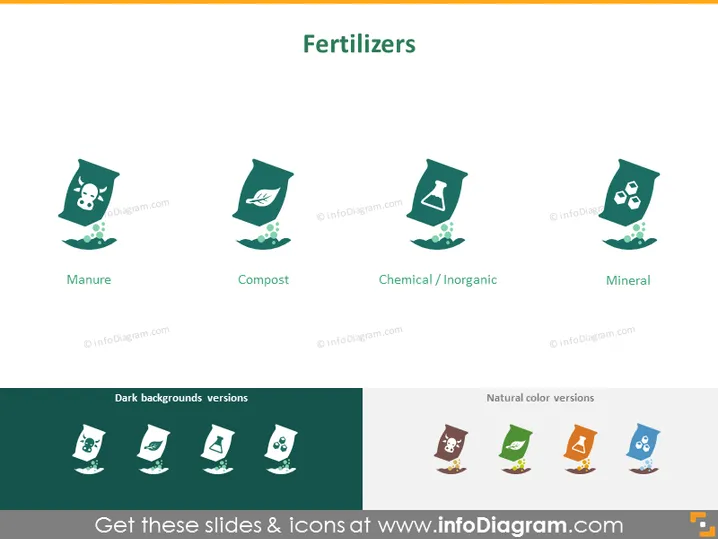
The PowerPoint slide presents a summary of different types of fertilizers, each represented by an icon and a label beneath it: Manure, signifying natural animal waste used as fertilizer; Compost, denoting decayed organic material used to enrich soil; Chemical / Inorganic, which are synthetically manufactured nutrients for plants; and Mineral, referring to mined nutrients that also aid plant growth.
Graphical Look
- The slide background is a flat, light green color.
- There are four main icons, each depicting a different type of fertilizer, aligned horizontally across the slide.
- Each icon is housed within a tilted square that resembles a bag or packet with a white outline.
- The four icons differ in their images: a skull and bones for Manure, a leaf for Compost, a chemical flask for Chemical/Inorganic, and a crystal or mineral-like shape for Mineral.
- Below each icon is a label in a sans-serif font, identifying the type of fertilizer it represents.
- At the bottom of the slide, there is a section separated by a white line titled "Dark backgrounds versions" featuring the same icons against a dark green background.
- Adjacent to this section, there is another titled "Natural color versions" showcasing the same icons in multiple colors on a white background.
The overall aesthetic of the slide is clean and modern, with a consistent graphical style for the icons. The use of both flat and natural colors gives the slide a professional yet approachable look.
Use Cases
- To introduce different types of fertilizers in an agricultural presentation.
- For educational purposes, such as teaching about sustainable farming practices.
- In business proposals or product pitches by companies selling fertilizers.
- As a visual aid in environmental or agricultural policy discussions to highlight various fertilization methods.
How to Edit
How to edit text & colors

How to expand / shorten diagram

How to Replace Icons in infoDiagram PPT


