
Reviews
Your graphics add a nice touch to my presentations and I recently used them for one of my all-hands meetings. Your toolbox adds professionalism to my slides. Instead of using standard clipart.
I needed a fresh look at some of my slides. I've tried to find a way to create a paintbrush effect, to underline, accentuate, add some color and the handwritten markers were just the things. Very easy to use, easy to size, change the color. It was an affordable, perfect solution and I'm happy to recommend it.
The crisp, clean look of the graphics, and the fact that it allowed me to easily edit and change the colors to match the template was my main reason for purchasing them.
Description
Fertilizers
Slide Content
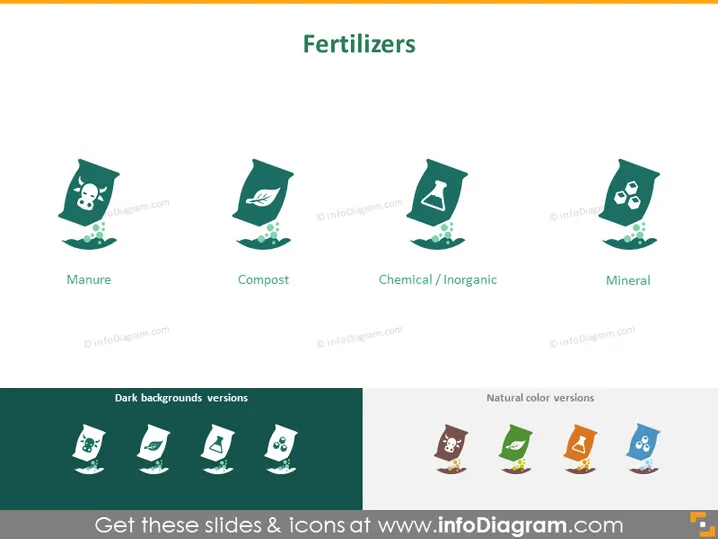
The slide is titled "Fertilizers" and presents four different types of fertilizers: Manure, which is animal waste used as organic fertilizer; Compost, which denotes decayed organic material used as a plant nutrient; Chemical / Inorganic, referring to manufactured fertilizers with chemical substances; and Mineral, which typically contains mined minerals to nourish plants.
Graphical Look
- The slide has a plain background with a slight gradient.
- The slide title "Fertilizers" is positioned centrally at the top in bold, capital letters.
- There are four graphic icons, each representing a type of fertilizer, aligned horizontally across the slide.
- The first icon depicts a skull on a bag, symbolizing Manure, with a caption below it.
- The second icon shows a leaf on a bag, symbolizing Compost, with its respective caption.
- The third icon features a test tube on the bag, representing Chemical / Inorganic fertilizers, followed by its caption.
- The fourth icon has mineral crystals on the bag, indicative of Mineral fertilizers, with a caption underneath.
- Beneath the icons, two sections are labeled "Dark backgrounds versions" and "Natural color versions", each displaying the same four icons but adapted for different background scenarios.
The slide presents a clean and minimal design with ample white space around the icons which aids in focus and clarity. The icons are stylized and simple, making them easily interpretable.
Use Cases
- A presentation in an agriculture or horticulture seminar to educate attendees on different fertilizer options.
- A sales pitch by a gardening supply company showcasing their range of fertilizer products.
- An academic setting, such as a university lecture, discussing the environmental impact of various types of fertilizers.
- A company meeting within the agriculture industry to strategize product development or marketing for fertilizer products.
How to Edit
How to edit text & colors

How to expand / shorten diagram

How to Replace Icons in infoDiagram PPT


