
Reviews
Sus gráficos añaden un toque agradable a mis presentaciones y recientemente los usé para una de mis reuniones generales. Su conjunto de herramientas añade profesionalismo a mis diapositivas. En lugar de usar imágenes prediseñadas estándar.
Necesitaba un aspecto fresco para algunas de mis diapositivas. Había intentado encontrar una forma de crear un efecto de pincel, de subrayar, acentuar, añadir algo de color y los marcadores escritos a mano fueron justo lo que necesitaba. Muy fácil de usar, fácil de ajustar el tamaño, cambiar el color. Fue una solución asequible y perfecta, y estoy feliz de recomendarla.
El aspecto nítido y limpio de los gráficos, y el hecho de que me permitiera editar y cambiar fácilmente los colores para que coincidieran con la plantilla fue mi principal razón para comprarlos.
Description
Manufacturing Report Icon Set – Finances
Slide Content
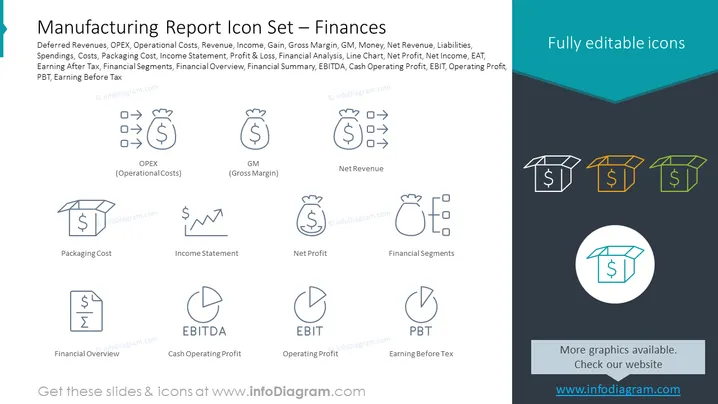
The PowerPoint slide titled "Manufacturing Report Icon Set – Finances" features several financial terms – OPEX, GM, Net Revenue, Packaging Cost, Income Statement, Net Profit, Financial Segments, EBITDA, Operating Profit, PBT – each paired with a representative icon. OPEX refers to operational costs, GM denotes gross margin, Net Revenue implies total income after deductions, and Packaging Cost signifies expenses incurred in packaging. The Income Statement shows a company's financial performance, while Net Profit highlights the income remaining after all expenses. Financial Segments break down financial data into parts, EBITDA represents earnings before interest, taxes, depreciation, and amortization. Operating Profit shows income from business operations before interest and taxes, and PBT, or Profit Before Tax, is the profit earned before tax expenses are subtracted.
Graphical Look
- The slide uses a clean, flat design with minimalistic icons in a two-tone color scheme.
- The upper half of the background is white, transitioning to dark blue at the bottom, with a turquoise accent strip at the top edge.
- Each term has an associated line icon in light gray, blue, and orange to visually represent the concept.
- Icons are organized in two rows, with nine icons in total, evenly spaced out horizontally and vertically aligned with their corresponding term labels.
- The labels are in lowercase, except for abbreviations, and are placed below each icon.
- The PowerPoint slide has a three-color scheme, with white, dark blue, and turquoise dominating the color palette.
The slide seems professionally crafted with a clean visual aesthetic, making information accessible and easy to understand at a glance. The overall appearance is that of a modern, corporate-style presentation slide with a focus on clarity and simplicity.
Use Cases
- Presenting financial concepts during corporate training sessions to familiarize employees with key financial terminology.
- Summarizing the financial health of a company in board meetings for stakeholders and investors.
- Illustrating a summary of financial terms in an annual report presentation for clarity and visual engagement.
- Aid in discussing financial strategies or performance during internal management or departmental reviews.
How to Edit
How to edit text & colors

How to expand / shorten diagram

How to Replace Icons in infoDiagram PPT


