
Reviews
Your graphics add a nice touch to my presentations and I recently used them for one of my all-hands meetings. Your toolbox adds professionalism to my slides. Instead of using standard clipart.
I needed a fresh look at some of my slides. I've tried to find a way to create a paintbrush effect, to underline, accentuate, add some color and the handwritten markers were just the things. Very easy to use, easy to size, change the color. It was an affordable, perfect solution and I'm happy to recommend it.
The crisp, clean look of the graphics, and the fact that it allowed me to easily edit and change the colors to match the template was my main reason for purchasing them.
Description
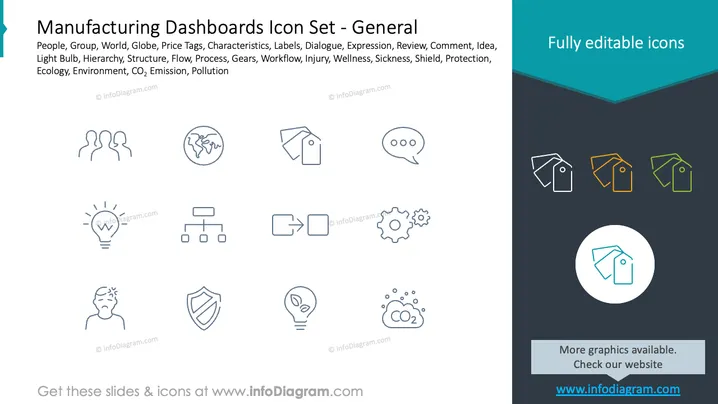
Manufacturing Dashboards Icon Set - General
Slide Content
The slide is titled "Manufacturing Dashboards Icon Set - General" and showcases a collection of twelve icons relevant to manufacturing and business concepts. These icons include representations for People, World/Globe, Price Tags, Dialogue/Comments, Idea (light bulb), Hierarchy/Structure, Workflow/Process (arrows and gears), Injury/Illness, Protection (shield), and Environmental concerns (CO2 Emission, Pollution). Each icon serves as a visual shorthand for complex ideas, such as a globe for international reach, a dialogue bubble for communication, gears for processes or mechanical aspects, and a shield for security or protection.
Graphical Look
- The slide background is white with a teal-colored band at the top right corner.
- The slide features a two-column layout with icons organized in 3 rows.
- Each icon is monochromatic, outlined, and follows a consistent style for visual harmony.
- The icons use simple shapes and minimalistic design for easy recognition.
- A highlighted icon is displayed in a circle at the bottom right, enlarged and color-filled to indicate it's editable.
- Alongside each icon is a corresponding label in a smaller font size.
The slide has a clean, professional look with a modern design. The emphasis on simple iconography ensures clarity and quick comprehension by the audience.
Use Cases
- To visually accompany bullet points in a presentation about various aspects of manufacturing.
- In a dashboard interface design to provide quick access to different sections or functions.
- As a part of a training or educational presentation to symbolize key concepts in manufacturing.
- To enhance communication in a business report or proposal that addresses multiple facets of operational management.
How to Edit
How to edit text & colors

How to expand / shorten diagram

How to Replace Icons in infoDiagram PPT


