
Reviews
Your graphics add a nice touch to my presentations and I recently used them for one of my all-hands meetings. Your toolbox adds professionalism to my slides. Instead of using standard clipart.
I needed a fresh look at some of my slides. I've tried to find a way to create a paintbrush effect, to underline, accentuate, add some color and the handwritten markers were just the things. Very easy to use, easy to size, change the color. It was an affordable, perfect solution and I'm happy to recommend it.
The crisp, clean look of the graphics, and the fact that it allowed me to easily edit and change the colors to match the template was my main reason for purchasing them.
Description
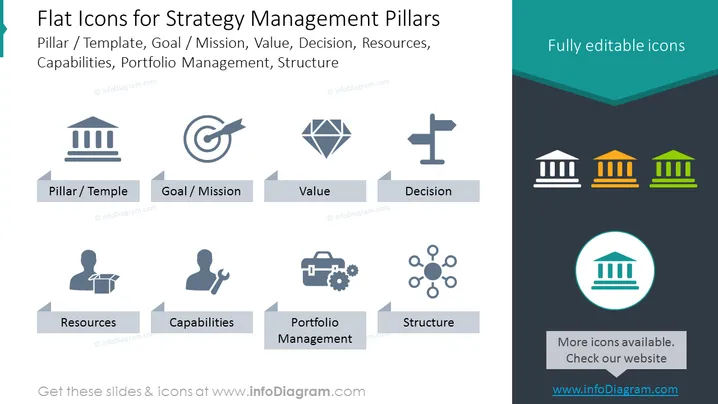
Flat Icons for Strategy Management Pillars
Slide Content
The slide is titled "Flat Icons for Strategy Management Pillars" and presents a collection of stylized icons representing core concepts in strategic management. Each icon is paired with a term that relates to organizational and strategic planning: Pillar/Template (suggesting foundational structures), Goal/Mission (the target or purpose of plans), Value (the benefits or importance of initiatives), Decision (the act of choosing among options), Resources (the assets available for use), Capabilities (organizational skills and competencies), Portfolio Management (overseeing a collection of projects or investments), and Structure (the arrangement or organization of a company or system).
Graphical Look
- The slide background is divided diagonally with a lighter shade of dark grey on the top half and a darker shade on the bottom half.
- There's a teal-colored banner across the top with the title text in white.
- Below the title, the larger portion of the slide contains eight icons in a 4x2 grid format, arranged symmetrically.
- Each icon is descriptive of the concept it represents:
- A bank or government building for Pillar/Template.
- A target with an arrow for Goal/Mission.
- A gem for Value.
- A directional sign for Decision.
- A bust with a lecture for Resources.
- A wrench and gear for Capabilities.
- A briefcase with cogs for Portfolio Management.
- A network diagram for Structure.
- Each icon is paired with a label in a rectangular grey tag that is aligned centrally beneath its corresponding icon.
- In the bottom right corner, there is a circular icon highlighted with a turquoise circle with an accompanying rectangular tag that reads "More icons available. Check our website" on a slightly lighter grey rectangle.
The overall visual design is clean and corporate, with a modern flat design for the icons. The color scheme is consistent and professional, with a limited palette focusing mainly on shades of grey, teal, and white, which provides a clear and uncluttered look.
Use Cases
- To visually communicate the fundamental aspects of a strategic plan during a business presentation.
- For educational purposes, to teach students or trainees about the elements of strategic management.
- To facilitate discussion in workshops or seminars focusing on the development or analysis of organization strategies.
- As a part of a management consultant's toolkit when assessing and presenting on a client's strategic positioning and framework.
How to Edit
How to edit text & colors

How to expand / shorten diagram

How to Replace Icons in infoDiagram PPT


