
Reviews
Ihre Grafiken verleihen meinen Präsentationen eine nette Note, und ich habe sie kürzlich für eines meiner All-Hands-Meetings verwendet. Ihre Toolbox verleiht meinen Folien Professionalität, anstatt Standard-Clipart zu verwenden.
Ich brauchte einen neuen Blick auf einige meiner Folien. Ich habe versucht, einen Weg zu finden, einen Pinselschlag-Effekt zu erzielen, um zu unterstreichen, hervorzuheben, Farbe hinzuzufügen, und die handgeschriebenen Markierungen waren genau das Richtige. Sehr einfach zu bedienen, leicht in der Größe zu ändern, die Farbe zu ändern. Es war eine erschwingliche, perfekte Lösung und ich empfehle sie gerne weiter.
Die klare, saubere Optik der Grafiken und die Tatsache, dass ich die Farben leicht bearbeiten und an die Vorlage anpassen konnte, war mein Hauptgrund für den Kauf.
Description
Slide Title
Unfortunately, there is no explicit slide title in the attached picture to reference.
Slide Content
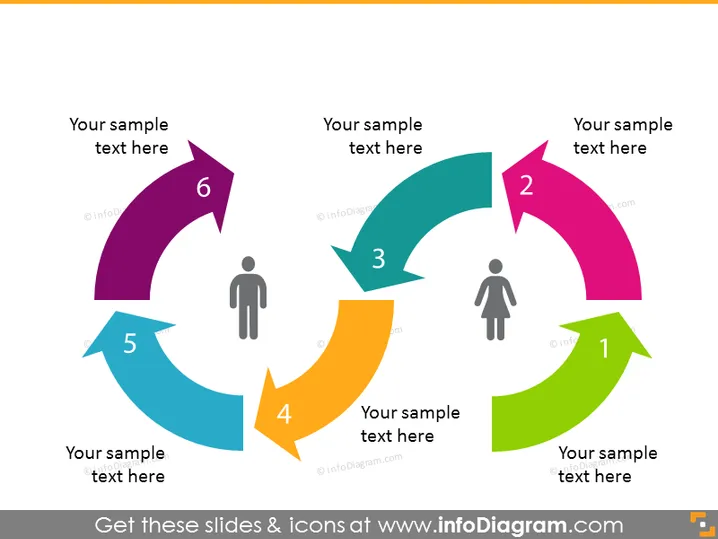
The slide depicts a circular process flow with six steps, represented by colorful arrows that loop around two central figures. Each arrow is numbered from 1 to 6 and includes a placeholder text "Your sample text here," indicating where descriptive text can be added for each step. The two figures in the center, one typically representing a male and the other a female, potentially signify the human aspect or target audience of the process.
Graphical Look
- The slide background color is a light grey shade.
- Two silhouette icons are placed centrally: one appears to represent a male and the other, a female.
- Six arrow-shaped elements, each with a distinct color (green, pink, teal, orange, blue, purple), are arranged in a circular flow pattern around the central icons.
- Each arrow has a number label (1 through 6) placed close to its pointed tip, indicating the sequence of steps.
- Each arrow also includes a text box for adding descriptions relative to each step.
- The colors of the arrows are bright and saturated, providing high contrast against the grey background.
The overall look of the slide is colorful and dynamic, with arrows leading the eye through the sequence of steps in a process. The central human figures provide a focal point, connecting the process with its human element or audience.
Use Cases
- Illustrating a cyclic process or workflow in a business context, such as customer lifecycle or product development stages.
- Demonstrating a feedback loop in a system or organization, to show how various components lead back to a central point.
- Explaining human-centric processes like user experience design or service delivery improvements.
- Training or educational presentations for explaining iterative processes that involve various stakeholders or departments.
How to Edit
How to edit text & colors

How to expand / shorten diagram

How to Replace Icons in infoDiagram PPT


