
Reviews
Ihre Grafiken verleihen meinen Präsentationen eine nette Note, und ich habe sie kürzlich für eines meiner All-Hands-Meetings verwendet. Ihre Toolbox verleiht meinen Folien Professionalität, anstatt Standard-Clipart zu verwenden.
Ich brauchte einen neuen Blick auf einige meiner Folien. Ich habe versucht, einen Weg zu finden, einen Pinselschlag-Effekt zu erzielen, um zu unterstreichen, hervorzuheben, Farbe hinzuzufügen, und die handgeschriebenen Markierungen waren genau das Richtige. Sehr einfach zu bedienen, leicht in der Größe zu ändern, die Farbe zu ändern. Es war eine erschwingliche, perfekte Lösung und ich empfehle sie gerne weiter.
Die klare, saubere Optik der Grafiken und die Tatsache, dass ich die Farben leicht bearbeiten und an die Vorlage anpassen konnte, war mein Hauptgrund für den Kauf.
Description
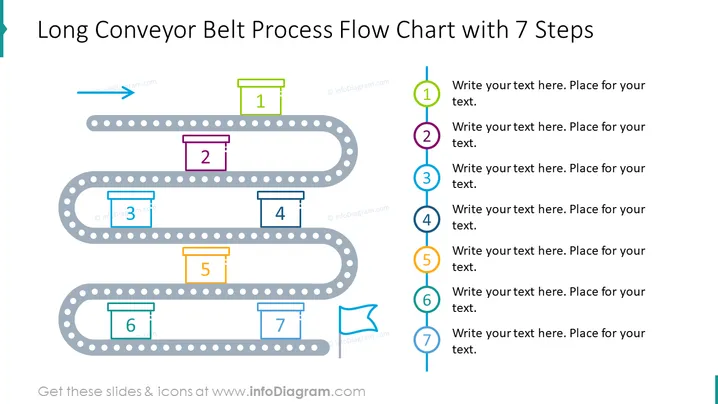
Long Conveyor Belt Process Flow Chart with 7 Steps
Slide Content
This PowerPoint slide presents a visual metaphor for a process with seven steps, depicted as a "Long Conveyor Belt Process Flow Chart." Each step is symbolized by a box with a corresponding number from 1 to 7, placed at various points along a winding conveyor belt. The boxes have unique colors, signaling the progression through a process or workflow. The idea is to indicate movement or advancement from one step to the next, much like objects would move on a real conveyor belt in a manufacturing or distribution process.
Graphical Look
- A winding, gray conveyor belt with dotted outline flows horizontally across the slide, looping back on itself.
- Seven colored boxes, each with a number from 1 to 7, are positioned along the conveyor belt, indicating steps.
- A blue arrow at the belt's start point suggests the direction of motion.
- To the right, there are seven corresponding circular icons, each with a number and matched in color to the boxes on the belt, where explanatory text can be added.
- The slide background is white, providing contrast that makes the conveyor belt and colored elements stand out.
The slide uses bright colors and clear, simple shapes to evoke a manufacturing or logistical process. The overall layout is clean and organized, designed to guide the viewer's eye in a linear flow from start to finish.
Use Cases
- To illustrate the sequence of steps in a manufacturing or assembly process, showing a physical flow.
- For explaining a company's logistical operations, such as order fulfillment or shipping procedures.
- Presenting a chronological development or workflow in project management or software development.
- Introducing a marketing strategy or a sales process in a structured, step-by-step manner.
How to Edit
How to edit text & colors

How to expand / shorten diagram

How to Replace Icons in infoDiagram PPT


