
Reviews
Vos graphiques ajoutent une belle touche à mes présentations et je les ai récemment utilisés pour l'une de mes réunions générales. Votre boîte à outils ajoute du professionnalisme à mes diapositives. Au lieu d'utiliser des cliparts standards.
J'avais besoin d'un nouveau regard sur certaines de mes diapositives. J'ai essayé de trouver un moyen de créer un effet de pinceau, de souligner, d'accentuer, d'ajouter de la couleur et les marqueurs manuscrits étaient exactement ce qu'il fallait. Très facile à utiliser, facile à ajuster la taille, à changer la couleur. C'était une solution abordable et parfaite et je suis heureux de la recommander.
L'aspect net et épuré des graphiques, et le fait qu'il m'ait permis d'éditer et de changer facilement les couleurs pour les adapter au modèle, ont été les principales raisons de mon achat.
Description
Icons: Location Pins and Flags
Slide Content
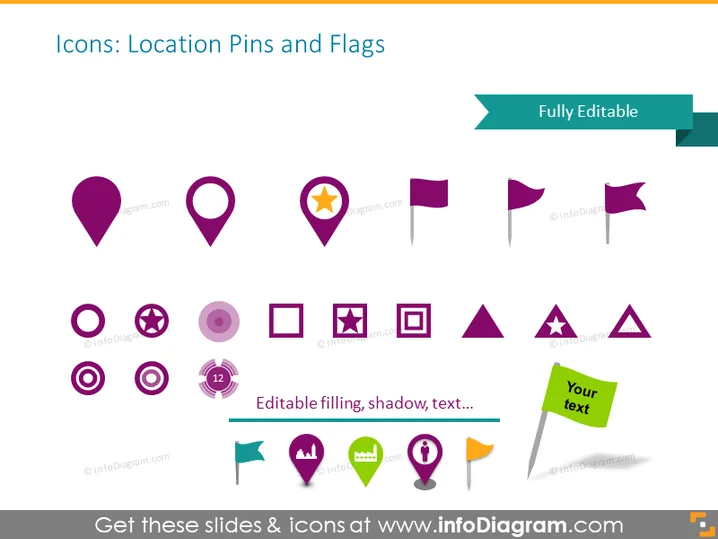
This PowerPoint slide showcases a variety of icons related to location pins and flags. These symbols are commonly used in maps and applications to denote specific geographical points, flags, and markers. The slide indicates that the icons are fully editable, meaning that users can customize the filling, shadow, and text associated with each icon, providing the flexibility to tailor them for different visual presentations. This customization facilitates the clear representation of locations, points of interest, or destinations in various contexts.
Graphical Look
- The slide has a plain white background which serves as a neutral canvas for the icons.
- At the top, there is a slide title in a large, bold, sans-serif font.
- A teal-colored rectangular shape extends from the right side of the title, containing the words "Fully Editable" in white, sans-serif font.
- A horizontal line is directly below the title and the phrase "Editable filling, shadow, text..." is placed over it.
- There are fifteen icons evenly distributed across the slide in three rows and five columns.
- The icons include a variety of location pins and flags with different designs, such as plain pins, a pin with a star, and various flag shapes.
- Color scheme of the icons is primarily purple, with some icons containing additional colors like green, yellow, and orange for variety.
The slide has a clean and organized layout, emphasizing the icons with ample space around each for clarity. The color palette is appealing and consistent, which helps in creating a professional visual for the viewer.
Use Cases
- In a presentation illustrating multiple office or store locations on a global or regional map.
- To mark customer demographics or target markets on a map for a marketing strategy presentation.
- During a project management meeting, to indicate different project sites or areas of responsibility.
- Within travel and tourism presentations to highlight points of interest, landmarks, or destinations.
How to Edit
How to edit text & colors

How to expand / shorten diagram

How to Replace Icons in infoDiagram PPT


