
Reviews
Your graphics add a nice touch to my presentations and I recently used them for one of my all-hands meetings. Your toolbox adds professionalism to my slides. Instead of using standard clipart.
I needed a fresh look at some of my slides. I've tried to find a way to create a paintbrush effect, to underline, accentuate, add some color and the handwritten markers were just the things. Very easy to use, easy to size, change the color. It was an affordable, perfect solution and I'm happy to recommend it.
The crisp, clean look of the graphics, and the fact that it allowed me to easily edit and change the colors to match the template was my main reason for purchasing them.
Description
Icons: Location
Slide Content
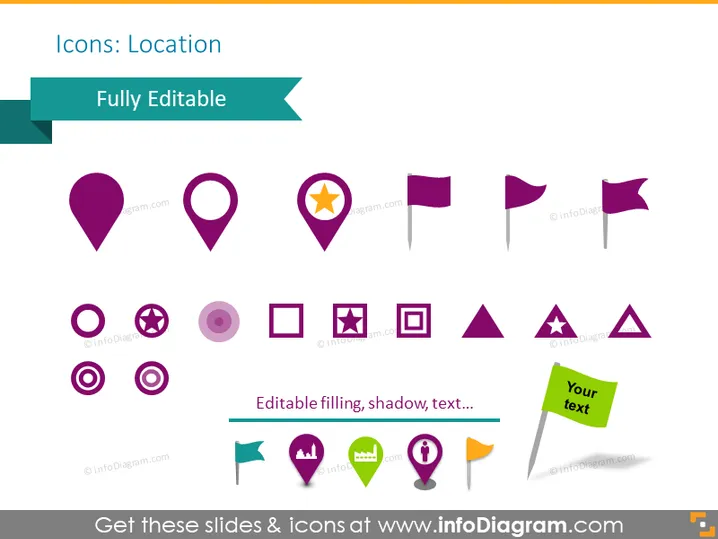
The PowerPoint slide is titled "Icons: Location" and features an assortment of icons related to location mapping and pin pointing. These icons include variations of map pins (e.g., the classic drop-shaped pin, star inside a pin), flags (which could represent waypoints or points of interest), and other shapes like circles and squares with symbols inside (indicating various types of locations or markers). A banner across the top states "Fully Editable," suggesting the icons can be customized in size, color, or text.
Graphical Look
- Teal banner running across the top with the text "Fully Editable" in bold white font.
- A variety of location-related icons beneath the banner, aligned in three informal rows.
- Each icon has a different design, some are simple map pins, and others have symbols such as a star or information "i" inside them.
- The colors primarily used in the icons include shades of purple, with some elements in green, yellow, and one icon having a mix of multiple colors.
- One icon on the bottom right has a speech bubble saying "Your text," indicating a placeholder for customization.
- Each icon features a shadow effect, and the larger ones have a text label "Editable filling, shadow, text..." emphasizing the customizable nature of these graphics.
The slide has a modern, clean aesthetic with colorful, flat-design icons that effectively convey the concept of location and navigation. The simplicity of the icons makes them versatile for various uses in different presentation contexts.
Use Cases
- To illustrate different geographical locations in a corporate strategy or marketing presentation.
- As visual aids in an app or website interface presentation to indicate various features or services linked to a location.
- To showcase points of interest in tourism or event planning presentations.
- For adding visual impact in instructional materials regarding navigation or location-based services.
How to Edit
How to edit text & colors

How to expand / shorten diagram

How to Replace Icons in infoDiagram PPT


