
Reviews
Vos graphiques ajoutent une belle touche à mes présentations et je les ai récemment utilisés pour l'une de mes réunions générales. Votre boîte à outils ajoute du professionnalisme à mes diapositives. Au lieu d'utiliser des cliparts standards.
J'avais besoin d'un nouveau regard sur certaines de mes diapositives. J'ai essayé de trouver un moyen de créer un effet de pinceau, de souligner, d'accentuer, d'ajouter de la couleur et les marqueurs manuscrits étaient exactement ce qu'il fallait. Très facile à utiliser, facile à ajuster la taille, à changer la couleur. C'était une solution abordable et parfaite et je suis heureux de la recommander.
L'aspect net et épuré des graphiques, et le fait qu'il m'ait permis d'éditer et de changer facilement les couleurs pour les adapter au modèle, ont été les principales raisons de mon achat.
Description
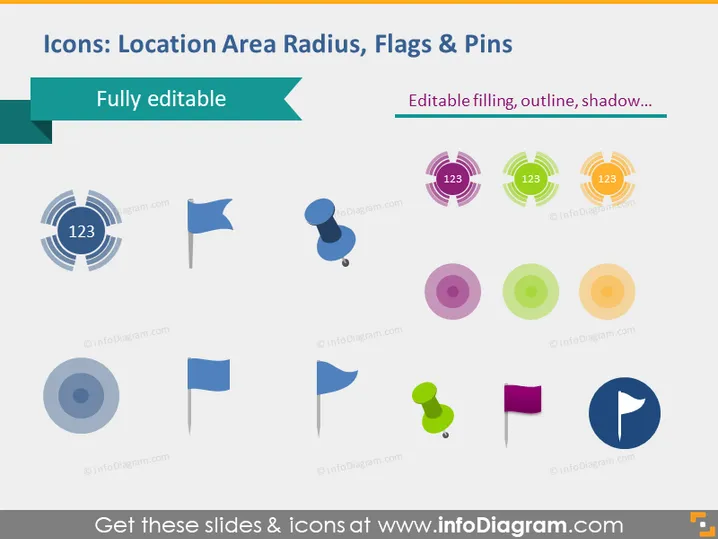
Icons: Location Area Radius, Flags & Pins
Slide Content
The PowerPoint slide is a showcase of various icons related to geolocation themes, such as area radius and different styles of flags and pins. Each icon aims to represent a unique aspect of location-based services or features. For example, the area radius icons appear to indicate different zones or ranges typically used in mapping or location tracking. Flags often mark specific points of interest or destinations, while pins can denote locations or dropped markers on digital maps.
Graphical Look
- The title of the slide is at the top in white font on a dark teal banner.
- Below the title, a subtitle or descriptor of the icons is presented in a lighter teal ribbon.
- The background of the slide is white, providing contrast for the colorful icons.
- A variety of icons are displayed in two rows.
- The first row has one circular icon with concentric circles and a "123" label, alongside two flag icons.
- The second row includes different variations of pin icons in multiple colors.
- Each icon has a flat design style with shadows, giving them a slight 3D effect.
- The colors of the icons range from blue, purple, green, orange, and shades of grey.
- The icons are evenly spaced out across the slide.
The slide is visually appealing in its simplicity and organized arrangement. The use of flat design with subtle shadows adds depth while maintaining a modern and clean appearance.
Use Cases
- To demonstrate various location-based features in a mobile app or website during a product presentation.
- As visual aids in instructional materials explaining how to use geolocation services.
- In marketing materials to highlight businesses' proximity services or delivery zones.
- To enhance visual understanding in discussions about data representation on maps during geographic information system (GIS) seminars.
How to Edit
How to edit text & colors

How to expand / shorten diagram

How to Replace Icons in infoDiagram PPT


