
Reviews
Sus gráficos añaden un toque agradable a mis presentaciones y recientemente los usé para una de mis reuniones generales. Su conjunto de herramientas añade profesionalismo a mis diapositivas. En lugar de usar imágenes prediseñadas estándar.
Necesitaba un aspecto fresco para algunas de mis diapositivas. Había intentado encontrar una forma de crear un efecto de pincel, de subrayar, acentuar, añadir algo de color y los marcadores escritos a mano fueron justo lo que necesitaba. Muy fácil de usar, fácil de ajustar el tamaño, cambiar el color. Fue una solución asequible y perfecta, y estoy feliz de recomendarla.
El aspecto nítido y limpio de los gráficos, y el hecho de que me permitiera editar y cambiar fácilmente los colores para que coincidieran con la plantilla fue mi principal razón para comprarlos.
Description
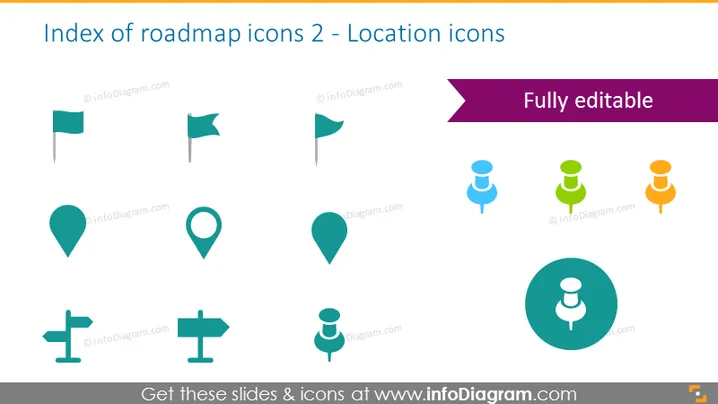
Index of roadmap icons 2 - Location icons
Slide Content
This PowerPoint slide presents a variety of location-related icons that could be used in presentations to represent different aspects of a roadmap or journey. The slide shows two different flag designs, three variations of map pins, a pair of differing direction signposts, and three human figures with location symbols above, likely indicating user locations or points of interest. Each icon serves as a visual cue and is useful for mapping out stages, checkpoints, or important locations on a timeline.
Graphical Look
- The slide background is white.
- The title of the slide is at the top, "Index of roadmap icons 2 - Location icons" in dark text.
- A purple banner spanning the width of the slide, below the title, reads "Fully editable".
- There are eight icons organized in two rows.
- The top row features two flags and three map pins.
- The bottom row has two direction signs and three stylized human figures with location pins above their heads.
- Icons are in a flat design style, with a color palette consisting of dark turquoise, light turquoise, blue, green, and orange.
- The human figure icons increase in size from left to right and change color from blue to green to orange.
- The largest icon, a human figure with a location pin, is encircled in the bottom right.
- Icons are evenly distributed and aligned for a balanced layout.
The slide has a clean, modern appearance with simple, flat-design icons making it visually appealing and easy to interpret. The color scheme is harmonious and the icons are instantly recognizable as location and navigation related symbols.
Use Cases
- To illustrate key locations in a project's timeline during a project management presentation.
- When creating a visual representation of a strategic plan and pinpointing crucial phases or milestones.
- To highlight geographical areas of interest or target zones in a marketing strategy meeting.
- For use in travel or event planning presentations to indicate specific venues, accommodations, or points of interest.
How to Edit
How to edit text & colors

How to expand / shorten diagram

How to Replace Icons in infoDiagram PPT


