
Reviews
Sus gráficos añaden un toque agradable a mis presentaciones y recientemente los usé para una de mis reuniones generales. Su conjunto de herramientas añade profesionalismo a mis diapositivas. En lugar de usar imágenes prediseñadas estándar.
Necesitaba un aspecto fresco para algunas de mis diapositivas. Había intentado encontrar una forma de crear un efecto de pincel, de subrayar, acentuar, añadir algo de color y los marcadores escritos a mano fueron justo lo que necesitaba. Muy fácil de usar, fácil de ajustar el tamaño, cambiar el color. Fue una solución asequible y perfecta, y estoy feliz de recomendarla.
El aspecto nítido y limpio de los gráficos, y el hecho de que me permitiera editar y cambiar fácilmente los colores para que coincidieran con la plantilla fue mi principal razón para comprarlos.
Description
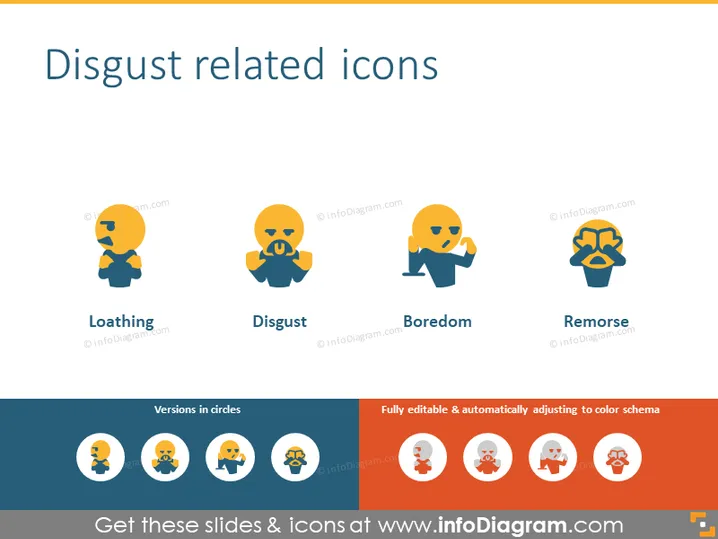
Disgust related icons
Slide Content
The PowerPoint slide is titled "Disgust related icons" and contains four icons with corresponding label texts underneath each: Loathing, Disgust, Boredom, and Remorse. Loathing represents a deep hatred or dislike, Disgust conveys a strong feeling of aversion, Boredom indicates a lack of interest or a tedious situation, and Remorse signifies deep regret or guilt for a wrong committed.
Graphical Look
- Four distinct icons, each a stylized representation of a human figure with different facial expressions and gestures.
- The colors used for the icons are a mix of blue, orange, and yellow tones.
- Each icon is paired with a label, which is positioned directly beneath the corresponding icon.
- The icons are aligned horizontally across the slide, providing a structured visual layout.
- The bottom of the slide features an additional row of colored circles containing miniature versions of the four icons.
- To the right, there are two text boxes with phrases "Versions in circles" and "Fully editable & automatically adjusting to color schema," respectively, indicating additional design features.
- The background of the slide is a light, solid color, which doesn't compete with the icons for attention.
The slide has a clean, professional design with a modern feel. The use of colors is balanced; it draws the eye without being overwhelming, visually reinforcing the slide's topic through the iconography.
Use Cases
- Presenting the range of emotive responses in user experience research when evaluating new products or interfaces.
- Discussing emotional intelligence and the impact of different emotions in leadership and management training sessions.
- Enhancing communication-related presentations, where understanding nuances between different negative emotions can be crucial.
- Using in marketing material to visually communicate customer reactions to a product or service that might evoke feelings of loathing, disgust, boredom, or remorse.
How to Edit
How to edit text & colors

How to expand / shorten diagram

How to Replace Icons in infoDiagram PPT


