
Reviews
Your graphics add a nice touch to my presentations and I recently used them for one of my all-hands meetings. Your toolbox adds professionalism to my slides. Instead of using standard clipart.
I needed a fresh look at some of my slides. I've tried to find a way to create a paintbrush effect, to underline, accentuate, add some color and the handwritten markers were just the things. Very easy to use, easy to size, change the color. It was an affordable, perfect solution and I'm happy to recommend it.
The crisp, clean look of the graphics, and the fact that it allowed me to easily edit and change the colors to match the template was my main reason for purchasing them.
Description
Slide Content
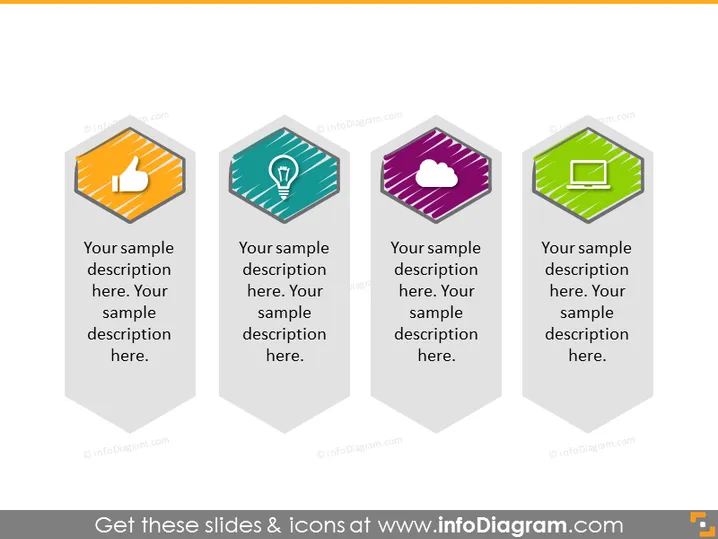
The PowerPoint slide is designed to present four different concepts or ideas, each represented by a hexagonal icon and accompanied by a placeholder for a descriptive text. The icons signify positive feedback, innovation or bright idea, cloud computing or online storage, and digital or mobile technology. These are common elements in presentations related to business strategies, technology solutions, or feedback mechanisms.
Graphical Look
- The slide features a clean, modern design with four hexagonal icons, each housed within a vertical banner.
- Each banner has a distinct color (orange, teal, purple, and green) and contains a large icon representing different concepts (a thumbs-up, a light bulb, a cloud, and a laptop or digital device screen, respectively).
- Below each colored banner is a rectangular area for text, providing space for a description related to the respective icon above it.
- The banners are aligned horizontally across the slide, equally spaced, and drop shadows are applied for depth.
- The icons are detailed and have a subtle gradient effect.
The slide's overall look is professional, appealing, and suitable for grabbing the audience's attention. The use of shadows and gradients on the icons gives the slide a three-dimensional visual effect.
Use Cases
- Introducing key components of a new business strategy or project phases.
- Outlining different services or features offered by a software or online platform.
- Highlighting the core values or strengths of a company during a corporate presentation.
- Summarizing customer feedback categories or departmental performance metrics in a team meeting.
How to Edit
How to edit text & colors

How to expand / shorten diagram

How to Replace Icons in infoDiagram PPT


