
Reviews
Sus gráficos añaden un toque agradable a mis presentaciones y recientemente los usé para una de mis reuniones generales. Su conjunto de herramientas añade profesionalismo a mis diapositivas. En lugar de usar imágenes prediseñadas estándar.
Necesitaba un aspecto fresco para algunas de mis diapositivas. Había intentado encontrar una forma de crear un efecto de pincel, de subrayar, acentuar, añadir algo de color y los marcadores escritos a mano fueron justo lo que necesitaba. Muy fácil de usar, fácil de ajustar el tamaño, cambiar el color. Fue una solución asequible y perfecta, y estoy feliz de recomendarla.
El aspecto nítido y limpio de los gráficos, y el hecho de que me permitiera editar y cambiar fácilmente los colores para que coincidieran con la plantilla fue mi principal razón para comprarlos.
Description
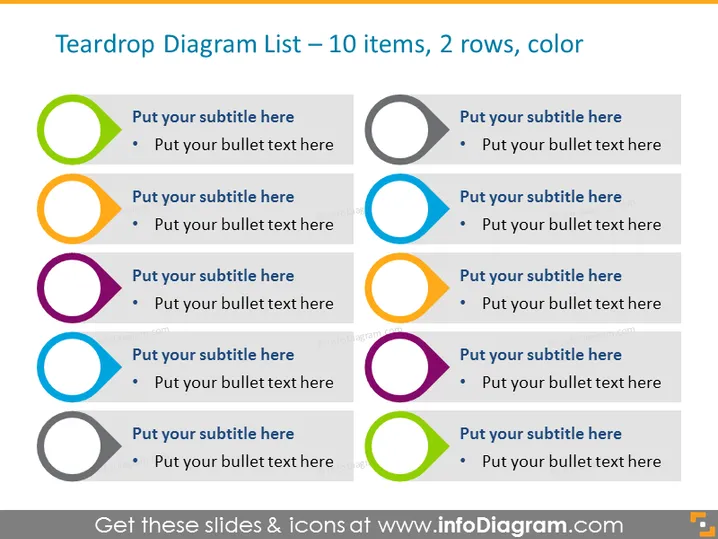
Teardrop Diagram List – 10 items, 2 rows, color
Slide Content
The slide presents a teardrop diagram list composed of ten colorful circular elements arranged in two rows, which are designed to categorize information. Each circular element is complemented by a space for a subtitle and a bullet-point, typically to expand on the subtitle or highlight key details. This layout facilitates a clear and organized presentation of multiple, probably related or sequential, data points or concepts in a visually engaging format.
Graphical Look
- The slide is divided symmetrically into two equal rows.
- Each row contains five circular teardrop-shaped icons with dual-color designs.
- The colors of the icons vary, including green, orange, purple, blue, and grey.
- Next to each icon is a text placeholder for a subtitle, followed by a bullet point with additional placeholder text.
- The design is clean, with a white background that provides contrast to the colorful icons.
- There are no additional images or graphics beyond the icons and text fields.
The overall look of the slide is modern and minimalistic, emphasizing clarity and readability. The use of color helps distinguish between different sections.
Use Cases
- To outline steps in a process or workflow during a business presentation.
- To showcase a list of services or product features in a marketing pitch.
- For summarizing research findings or data points in an academic or business report.
- As an agenda or table of contents in the beginning of a workshop or seminar presentation.
How to Edit
How to edit text & colors

How to expand / shorten diagram

How to Replace Icons in infoDiagram PPT


