
Reviews
Sus gráficos añaden un toque agradable a mis presentaciones y recientemente los usé para una de mis reuniones generales. Su conjunto de herramientas añade profesionalismo a mis diapositivas. En lugar de usar imágenes prediseñadas estándar.
Necesitaba un aspecto fresco para algunas de mis diapositivas. Había intentado encontrar una forma de crear un efecto de pincel, de subrayar, acentuar, añadir algo de color y los marcadores escritos a mano fueron justo lo que necesitaba. Muy fácil de usar, fácil de ajustar el tamaño, cambiar el color. Fue una solución asequible y perfecta, y estoy feliz de recomendarla.
El aspecto nítido y limpio de los gráficos, y el hecho de que me permitiera editar y cambiar fácilmente los colores para que coincidieran con la plantilla fue mi principal razón para comprarlos.
Description
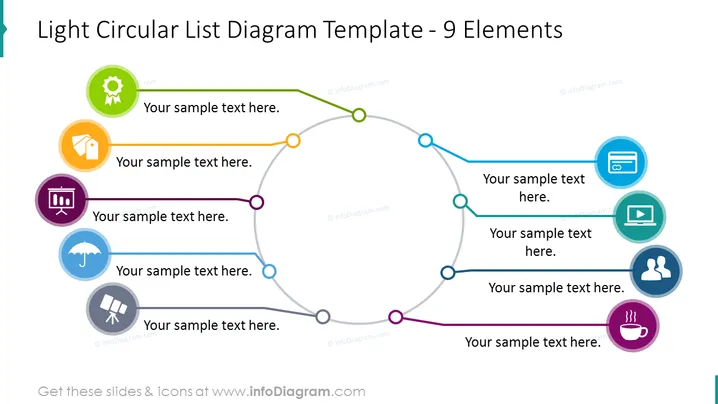
Light Circular List Diagram Template - 9 Elements
Slide Content
The slide depicts a light circular list diagram with 9 elements, each represented by a colored circle containing an icon, connected by a line that forms a loop to show continuity or a cycle. Each element has space for text, suggesting that the diagram can be customized for various uses such as outlining steps in a process, presenting connected ideas, or showing a sequence of events where each item plays a significant role in the overall scheme.
Graphical Look
- The primary visual element is a circular loop made up of a light gray line with colored connection points.
- Each connection point has an associated colored circle containing a unique icon, employing bright and varied colors for easy distinction.
- A placeholder text ("Your sample text here.") is provided next to each colored circle to indicate where explanatory text can be added.
- Each icon within the colored circles is simple and represents a different concept/action, like a gear for settings or a cup for a break.
- The colors of the circles range from green to blue, orange, purple, and other shades, providing contrast and a visually appealing palette.
The overall look is clean and professional with a vibrant color scheme that captures attention. The use of icons within the circular diagram enables quick understanding of each point's relevance or theme.
Use Cases
- To illustrate steps in a business process or cycle where the order of actions is crucial.
- To showcase strategies or services that are interconnected, emphasizing how each component leads to the next.
- To outline stages of project development or product lifecycle in presentations to stakeholders.
- To demonstrate continuous improvement or quality management systems where each element contributes to the overall process.
How to Edit
How to edit text & colors

How to expand / shorten diagram

How to Replace Icons in infoDiagram PPT


