
Reviews
Deine Folien sind meine 'geheime Zutat', wenn es darum geht, meine Ideen Kunden zu visualisieren. Ich spare so viel Zeit.
Ihre Folien führen oft zu guten Kommentaren und Ideen meines Teams, die die endgültigen Folien verbessern.
Description
YOUR TITLE
Slide Content
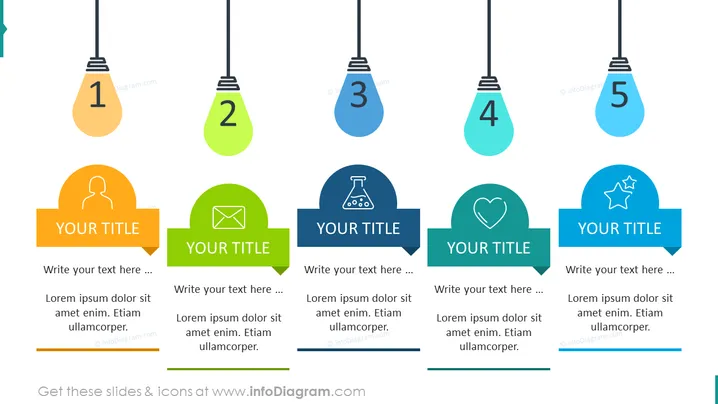
The slide presents five key points, each associated with a hanging lightbulb icon and a speech bubble containing a title and space for text. Point 1 highlights personalization, denoted by a user icon; point 2 focuses on communication via an email icon; point 3 is for science or research, with a flask icon; point 4 emphasizes care or affection, using a heart icon; point 5 deals with accolades or achievements, illustrated by a star icon. This design suggests themes of ideas or step-by-step processes.
Graphical Look
- Five colorful hanging lightbulb shapes are aligned horizontally across the slide, each with a number from 1 to 5.
- Under each lightbulb, there is a round-edged speech bubble that contains an individual icon and space for a title and text.
- The colors of the lightbulb shapes and speech bubbles alternate and have a gradient effect, ranging from orange to teal.
- Each speech bubble has a specific icon reinforcing the concept for each point: a human silhouette, an envelope, a flask, a heart, and a star.
- A banner-like element extends from the right side of each speech bubble, meant to contain a title.
- The text areas within the speech bubbles provide a placeholder for further explanations under the headings.
The slide has a clean, modern, and vibrant graphical style. The colorful palette and the lightbulb metaphor effectively suggest the conveyance of ideas or steps.
Use Cases
- Introducing the main points or pillars of a company's strategy in a business presentation.
- Outlining a step-by-step process for implementing a new policy or procedure.
- Highlighting different stages of a project or phases of product development.
- Presenting key features or benefits of a service or product to potential clients or stakeholders.
How to Edit
How to edit text & colors

How to expand / shorten diagram

How to Replace Icons in infoDiagram PPT


