
Reviews
Ihre Grafiken verleihen meinen Präsentationen eine nette Note, und ich habe sie kürzlich für eines meiner All-Hands-Meetings verwendet. Ihre Toolbox verleiht meinen Folien Professionalität, anstatt Standard-Clipart zu verwenden.
Ich brauchte einen neuen Blick auf einige meiner Folien. Ich habe versucht, einen Weg zu finden, einen Pinselschlag-Effekt zu erzielen, um zu unterstreichen, hervorzuheben, Farbe hinzuzufügen, und die handgeschriebenen Markierungen waren genau das Richtige. Sehr einfach zu bedienen, leicht in der Größe zu ändern, die Farbe zu ändern. Es war eine erschwingliche, perfekte Lösung und ich empfehle sie gerne weiter.
Die klare, saubere Optik der Grafiken und die Tatsache, dass ich die Farben leicht bearbeiten und an die Vorlage anpassen konnte, war mein Hauptgrund für den Kauf.
Description
Comparing Ideas on Segmented Light Bulb Graphics
Slide Content
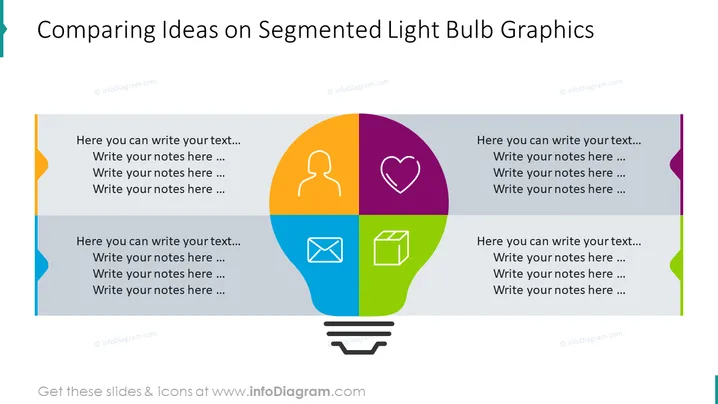
The slide is designed for comparing different ideas or concepts using a segmented light bulb graphic as a metaphor for ideas and innovation. Each segment within the bulb has a placeholder for text and an associated icon, indicating a unique category or topic for consideration. The icons—a person silhouette, a heart, an envelope, and a package—suggest topics such as target audience, values or passions, communication, and product or service offerings. Each segment allows for brief bullet points or notes to expand on these ideas.
Graphical Look
- The slide background is a neutral dark hue, likely to highlight the content without distraction.
- A large segmented light bulb graphic dominates the center of the slide, symbolizing ideas or segmented concepts.
- The light bulb contains four distinct colored segments: orange, purple, blue, and green.
- Inside each segment, a different white icon is centrally placed representing various ideas or themes.
- Each segment has adjacent text boxes on both sides, for additional information related to the graphic's section.
- Light gray lines separate the segments, with the bulb resting on a simple base consisting of two black horizontal lines and a rounded rectangle, symbolizing the screw base of a light bulb.
- At the top of the slide, the title is given in a large, bold font, contrasting with the dark background.
The slide has a modern and professional appearance, with a creative graphic that is both visually appealing and functional in its design. The use of different colors and icons helps to differentiate the various concepts or ideas being compared.
Use Cases
- To brainstorm and compare different aspects of a new product or service proposal.
- Useful in marketing presentations to outline customer personas, brand values, communication strategies, and product features.
- In innovation workshops, encouraging teams to discuss and categorize new ideas across various dimensions.
- To illustrate and compare business strategies or initiatives in a visually engaging way during company meetings or pitches.
How to Edit
How to edit text & colors

How to expand / shorten diagram

How to Replace Icons in infoDiagram PPT


