
Reviews
Sus gráficos añaden un toque agradable a mis presentaciones y recientemente los usé para una de mis reuniones generales. Su conjunto de herramientas añade profesionalismo a mis diapositivas. En lugar de usar imágenes prediseñadas estándar.
Necesitaba un aspecto fresco para algunas de mis diapositivas. Había intentado encontrar una forma de crear un efecto de pincel, de subrayar, acentuar, añadir algo de color y los marcadores escritos a mano fueron justo lo que necesitaba. Muy fácil de usar, fácil de ajustar el tamaño, cambiar el color. Fue una solución asequible y perfecta, y estoy feliz de recomendarla.
El aspecto nítido y limpio de los gráficos, y el hecho de que me permitiera editar y cambiar fácilmente los colores para que coincidieran con la plantilla fue mi principal razón para comprarlos.
Description
Flat Icons Set 1
Slide Content
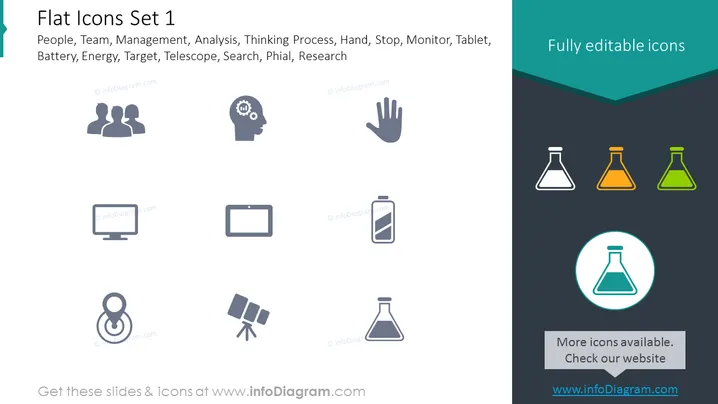
This PowerPoint slide is titled "Flat Icons Set 1" and presents a collection of icons representing various business and technology concepts. The icons shown include symbols for people (suggesting groups or teams), a gear in a head (symbolizing thinking or mental processing), a hand (indicating stop or access), a desktop monitor, a tablet, a smartphone (denoting technology or mobile communication), a battery (implying energy or power), a target (alluding to goals or objectives), a telescope (for search or vision), and flasks in different colors (representing science or research).
Graphical Look
- The slide has a minimalist design with flat icons evenly distributed in two rows.
- A dark teal header with the phrase "Fully editable icons" contrasts against the white background where the icons are displayed.
- Icons are depicted in a monochromatic grey shade, except for the three flasks in the header which are colored (grey, orange, green) to stand out.
- The largest flask is encircled, further highlighting it among the set.
- Icons are simple and easily recognizable, designed to clearly represent the concept they are associated with.
- A subtle shadow is applied behind each icon to give a slight sense of depth.
The overall look is clean and modern, with the icons being the central focus against the stark background. The variation in icon color accentuates certain elements, drawing attention to specific concepts.
Use Cases
- Enhancing visual communication in business presentations by clarifying topics with intuitive icons.
- Creating informative marketing materials where symbolizing concepts with icons can make information more digestible.
- Improving user interfaces for software or apps by using these icons to navigate or denote features.
- Compiling executive summaries or reports with icons facilitating quick recognition of sections or key points.
How to Edit
How to edit text & colors

How to expand / shorten diagram

How to Replace Icons in infoDiagram PPT


