
Reviews
Your graphics add a nice touch to my presentations and I recently used them for one of my all-hands meetings. Your toolbox adds professionalism to my slides. Instead of using standard clipart.
I needed a fresh look at some of my slides. I've tried to find a way to create a paintbrush effect, to underline, accentuate, add some color and the handwritten markers were just the things. Very easy to use, easy to size, change the color. It was an affordable, perfect solution and I'm happy to recommend it.
The crisp, clean look of the graphics, and the fact that it allowed me to easily edit and change the colors to match the template was my main reason for purchasing them.
Description
Outline Icons Set 1
Slide Content
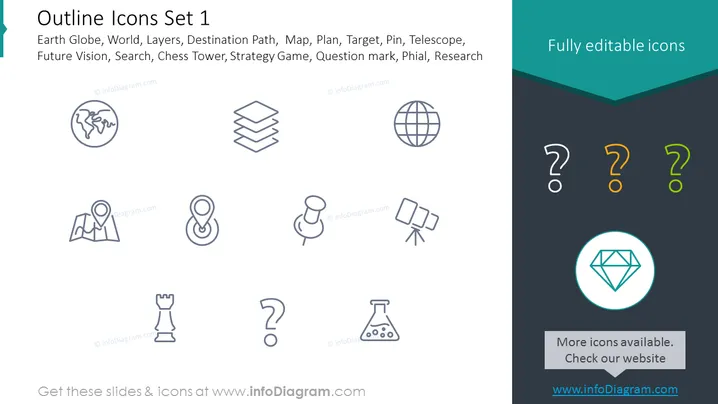
This PowerPoint slide is titled "Outline Icons Set 1" and it presents a collection of various vector icons that signify different concepts: Earth Globe, representing the world or global scope; Layers, indicating organization or stratification; Destination Path, symbolizing navigation or journey; Map, for geographical representation; Plan, pointing to strategy or preparation; Target, denoting goals or objectives; Pin, signifying a location or point of interest; Telescope, corresponding to vision or exploration; Future Vision, suggesting foresight or planning ahead; Search, referring to inquiry or examination; Chess Tower, for strategic moves or defense; Strategy Game, indicating competitive planning or tactics; Question mark, representing inquiry or uncertainty; Phial, symbolizing experimentation or samples; and Research, denoting investigation or analysis.
Graphical Look
- A dark teal header houses the title "Outline Icons Set 1" in large white text, next to the phrase "Fully editable icons" in a contrasting lighter teal section.
- Below the header, a light gray background provides a neutral backdrop for a two-row grid of icons, with five icons in each row.
- The icons are simple outline drawings in dark gray, evenly spaced and aligned horizontally and vertically.
- Each icon is paired with a label in light gray text.
- All icons and text are placed symmetrically, except for the last icon (diamond), which is centered in a teal circle with a light teal border and accompanied by a label box with the text "More icons available. Check our website" and the website address.
The PowerPoint slide has a clean and professional look with a minimalistic design, using contrasting colors and symmetrical layout to present an assortment of editable vector icons in an easy-to-understand format.
Use Cases
- To illustrate different concepts in a business presentation, such as strategic planning or global outreach.
- As visual aids in training materials or educational resources to represent different elements or steps in a process .
- To enhance visual communication in marketing materials by using icons to symbolize features or benefits.
- To standardize the visual language across different slides or documents within a company's internal and external communication.
How to Edit
How to edit text & colors

How to expand / shorten diagram

How to Replace Icons in infoDiagram PPT


