
Your graphics add a nice touch to my presentations and I recently used them for one of my all-hands meetings. Your toolbox adds professionalism to my slides. Instead of using standard clipart.
Claude Jones, Director of Engineer, @Walmartlabs, USA
Your graphics add a nice touch to my presentations and I recently used them for one of my all-hands meetings. Your toolbox adds professionalism to my slides. Instead of using standard clipart.
Claude Jones, Director of Engineer, @Walmartlabs, USA
I needed a fresh look at some of my slides. I've tried to find a way to create a paintbrush effect, to underline, accentuate, add some color and the handwritten markers were just the things. Very easy to use, easy to size, change the color. It was an affordable, perfect solution and I'm happy to recommend it.
Anonymous, US
The crisp, clean look of the graphics, and the fact that it allowed me to easily edit and change the colors to match the template was my main reason for purchasing them.
Brandie Jenkins, E-learning Developer, USA
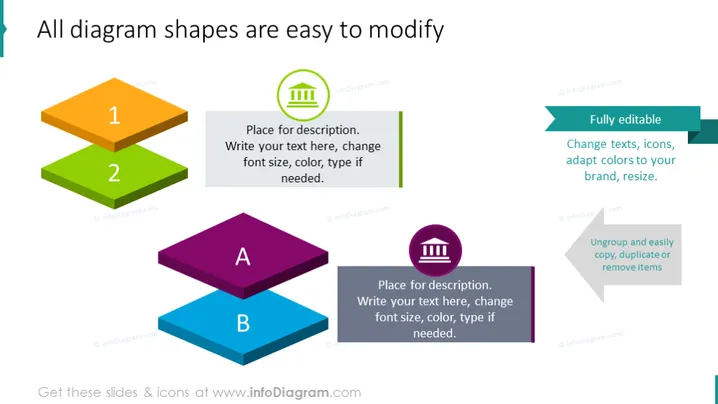
The slide demonstrates the customizability of diagram shapes within a presentation tool. Two sets of stacked 3D blocks represent different steps or stages, labeled "1" and "2" for the first set, which is orange and green, and "A" and "B" for the second set, which is purple and blue, illustrating a sequence or categorization. Each block has a place for description, suggesting that details can be added. On the right side, three bullet points with accompanying icons emphasize that the diagram shapes are fully editable, indicating that text, icons, and colors can be adapted for brand consistency. The points mention that diagrams can be easily ungrouped, copied, duplicated, or removed, showing flexibility in customization.
The slide has a clean, modern look with vibrant colors and a 3D effect given by the isometric blocks. The use of icons adds a visual element that makes the bullet points more engaging.




