
Reviews
Sus gráficos añaden un toque agradable a mis presentaciones y recientemente los usé para una de mis reuniones generales. Su conjunto de herramientas añade profesionalismo a mis diapositivas. En lugar de usar imágenes prediseñadas estándar.
Necesitaba un aspecto fresco para algunas de mis diapositivas. Había intentado encontrar una forma de crear un efecto de pincel, de subrayar, acentuar, añadir algo de color y los marcadores escritos a mano fueron justo lo que necesitaba. Muy fácil de usar, fácil de ajustar el tamaño, cambiar el color. Fue una solución asequible y perfecta, y estoy feliz de recomendarla.
El aspecto nítido y limpio de los gráficos, y el hecho de que me permitiera editar y cambiar fácilmente los colores para que coincidieran con la plantilla fue mi principal razón para comprarlos.
Description
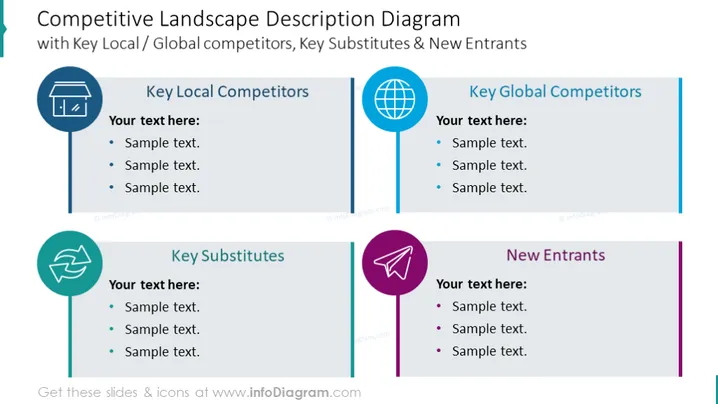
Competitive Landscape Description Diagram with Key Local / Global competitors, Key Substitutes & New Entrants
Slide Content
The slide details the competitive landscape of a business. It covers "Key Local Competitors," which refers to businesses competing within the same geographic location. "Key Global Competitors" indicates competitors on an international scale. "Key Substitutes" are alternative products or services that can replace those of the business in question, and "New Entrants" are businesses that have recently entered the same market, potentially changing the competitive dynamics.
Graphical Look
- The slide background is white.
- Four distinct sections divide the content, each with a unique solid color vertical line and icon on the left side of the text box.
- Each section contains a round icon related to its topic: a building for "Local Competitors," a globe for "Global Competitors," two circular arrows for "Substitutes," and a paper airplane for "New Entrants."
- The icons and vertical lines are in different colors: navy, teal, turquoise, and purple, creating a visually distinct area for each category.
- The title is at the top in a large, dark font.
- Each section has a title in bold, followed by a placeholder text area with bullet points.
- The sections are aligned horizontally across the slide, suggesting a balanced comparison between the categories.
The slide has a clean and professional design, using color coding and icons to effectively differentiate between the various categories of competitors and market forces. The structure is intuitive, allowing for an easy comparison.
Use Cases
- In a business strategy meeting to analyze competitive dynamics.
- During investor presentations to showcase understanding of the market environment.
- For internal training to educate employees about the competitive landscape.
- In marketing strategy sessions to identify potential threats and opportunities.
How to Edit
How to edit text & colors

How to expand / shorten diagram

How to Replace Icons in infoDiagram PPT


