
Reviews
Your graphics add a nice touch to my presentations and I recently used them for one of my all-hands meetings. Your toolbox adds professionalism to my slides. Instead of using standard clipart.
I needed a fresh look at some of my slides. I've tried to find a way to create a paintbrush effect, to underline, accentuate, add some color and the handwritten markers were just the things. Very easy to use, easy to size, change the color. It was an affordable, perfect solution and I'm happy to recommend it.
The crisp, clean look of the graphics, and the fact that it allowed me to easily edit and change the colors to match the template was my main reason for purchasing them.
Description
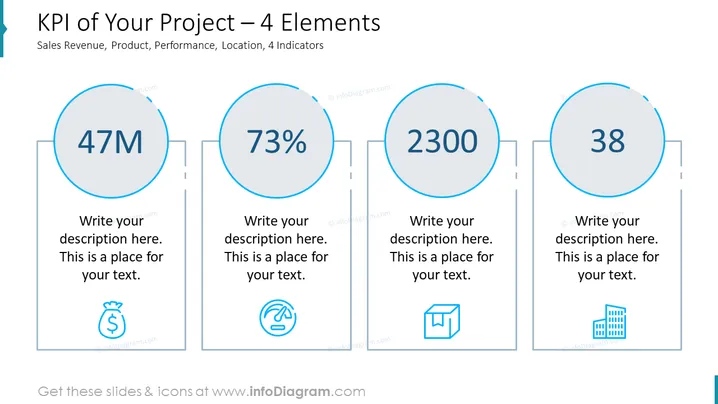
KPI of Your Project – 4 Elements
Slide Content
The slide is designed to showcase four key performance indicators (KPIs) for a project, which are sales revenue, product, performance, and location, each represented as an element with a large number and a placeholder for a description. The figures displayed are "47M," "73%," "2300," and "38," each suggesting a sample value for an individual KPI. The placeholders for descriptions suggest where detailed explanations of each KPI can be added to provide context.
Graphical Look
- A blue-themed color scheme with light and dark shades.
- Four large circular shapes, outlined in blue, containing large numbers indicating the KPI values.
- Each circle is connected to a smaller rectangle that contains a placeholder for descriptive text.
- Below each descriptive text placeholder, a simple blue icon corresponds to the type of KPI: a money bag, speedometer, box, and building icons respectively.
- The slide background is white, providing a clean and minimalistic look.
- The four elements are horizontally aligned and evenly spaced across the slide, offering a balanced and organized appearance.
The slide has a professional and clean design with a structured format that is easy to read and interpret.
Use Cases
- To report the progress of a project to stakeholders or team members during a business presentation.
- For use in quarterly business reviews when comparing project performance against set objectives or benchmarks.
- When pitching to investors or upper management, summarizing the key achievements and metrics of a project.
- As a visual tool for internal meetings to monitor, evaluate, and discuss the performance of different aspects of a project.
How to Edit
How to edit text & colors

How to expand / shorten diagram

How to Replace Icons in infoDiagram PPT


