
Reviews
Deine Folien sind meine 'geheime Zutat', wenn es darum geht, meine Ideen Kunden zu visualisieren. Ich spare so viel Zeit.
Ihre Folien führen oft zu guten Kommentaren und Ideen meines Teams, die die endgültigen Folien verbessern.
Description
KPI of Your Project – 4 Elements
Slide Content
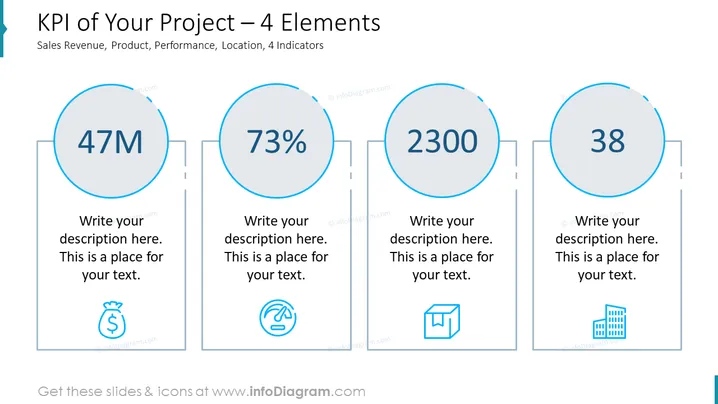
The slide is designed to showcase four key performance indicators (KPIs) for a project, which are sales revenue, product performance, and location, each represented as an element with a large number and a placeholder for a description. The figures displayed are "47M," "73%," "2300," and "38," each suggesting a sample value for an individual KPI. The placeholders for descriptions suggest where detailed explanations of each KPI can be added to provide context.
Graphical Look
- A blue-themed color scheme with light and dark shades.
- Four large circular shapes, outlined in blue, containing large numbers indicating the KPI values.
- Each circle is connected to a smaller rectangle that contains a placeholder for descriptive text.
- Below each descriptive text placeholder, a simple blue icon corresponds to the type of KPI: a money bag, speedometer, box, and building icons respectively.
- The slide background is white, providing a clean and minimalistic look.
- The four elements are horizontally aligned and evenly spaced across the slide, offering a balanced and organized appearance. The slide has a professional and clean design with a structured format that is easy to read and interpret.
Use Cases
- To report the progress of a project to stakeholders or team members during a business presentation.
- For use in quarterly business reviews when comparing project performance against set objectives or benchmarks.
- When pitching to investors or upper management, summarizing the key achievements and metrics of a project.
- As a visual tool for internal meetings to monitor, evaluate, and discuss the performance of different aspects of a project.
How to Edit
How to edit text & colors

How to expand / shorten diagram

How to Replace Icons in infoDiagram PPT


