
Reviews
Sus gráficos añaden un toque agradable a mis presentaciones y recientemente los usé para una de mis reuniones generales. Su conjunto de herramientas añade profesionalismo a mis diapositivas. En lugar de usar imágenes prediseñadas estándar.
Necesitaba un aspecto fresco para algunas de mis diapositivas. Había intentado encontrar una forma de crear un efecto de pincel, de subrayar, acentuar, añadir algo de color y los marcadores escritos a mano fueron justo lo que necesitaba. Muy fácil de usar, fácil de ajustar el tamaño, cambiar el color. Fue una solución asequible y perfecta, y estoy feliz de recomendarla.
El aspecto nítido y limpio de los gráficos, y el hecho de que me permitiera editar y cambiar fácilmente los colores para que coincidieran con la plantilla fue mi principal razón para comprarlos.
Description
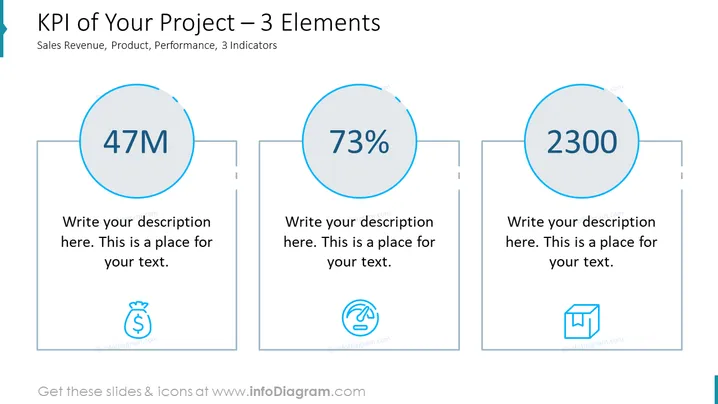
KPI of Your Project – 3 Elements
Slide Content
The slide presents three Key Performance Indicators (KPIs) related to a project, categorized by Sales Revenue, Product, and Performance. Each indicator has a large central number – "47M," "73%," and "2300," presumably representing monetary value, a percentage, and a count or score, respectively. Below each number, there's a placeholder for a description, implying that more details should be added to contextualize these figures. Accompanying icons suggest the nature of each KPI: a money bag for Sales Revenue, a finger swiping over a digital surface for Product, and a box for Performance.
Graphical Look
- Three large circles with numbers in bold font: one for "47M," one for "73%," and one for "2300," each inside a separate larger container.
- Below each number is a line of placeholder text: "Write your description here. This is a place for your text."
- Each container also contains a simple icon related to the respective KPI: a money bag, a swiping gesture, and a box symbol.
- The slide background is white, making the blue and grey elements stand out.
- The three main containers are arranged horizontally across the slide, aligned centrally for a balanced design.
The slide features a clean and minimalistic design with ample whitespace around the elements, creating an uncluttered visual experience. The use of icons aids quick comprehension of the represented KPIs.
Use Cases
- To present quarterly financial results and sales targets in a corporate settings.
- For project managers to report on key metrics of project performance during team meetings or board presentations.
- In marketing presentations to highlight customer engagement or product performance statistics.
- For startups when pitching to investors to showcase traction with key numerical indicators.
How to Edit
How to edit text & colors

How to expand / shorten diagram

How to Replace Icons in infoDiagram PPT


