
Reviews
Ihre Grafiken verleihen meinen Präsentationen eine nette Note, und ich habe sie kürzlich für eines meiner All-Hands-Meetings verwendet. Ihre Toolbox verleiht meinen Folien Professionalität, anstatt Standard-Clipart zu verwenden.
Ich brauchte einen neuen Blick auf einige meiner Folien. Ich habe versucht, einen Weg zu finden, einen Pinselschlag-Effekt zu erzielen, um zu unterstreichen, hervorzuheben, Farbe hinzuzufügen, und die handgeschriebenen Markierungen waren genau das Richtige. Sehr einfach zu bedienen, leicht in der Größe zu ändern, die Farbe zu ändern. Es war eine erschwingliche, perfekte Lösung und ich empfehle sie gerne weiter.
Die klare, saubere Optik der Grafiken und die Tatsache, dass ich die Farben leicht bearbeiten und an die Vorlage anpassen konnte, war mein Hauptgrund für den Kauf.
Description
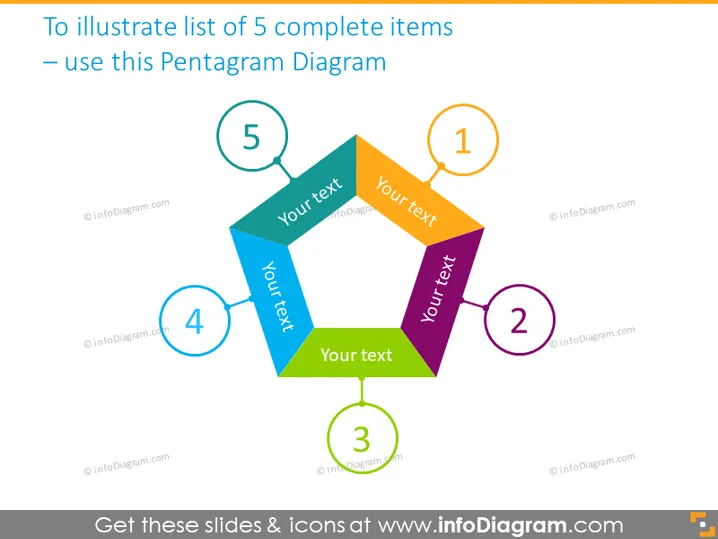
To illustrate list of 5 complete items – use this Pentagram Diagram
Slide Content
The slide presents a visual concept to demonstrate a list of 5 interconnected items using a pentagram diagram. Each point of the star-shaped pentagram is associated with a numbered circle and colored differently, indicating distinct but related elements or steps. The circles are numbered from 1 to 5, suggesting a sequence or process flow. Each point provides space to insert text, likely meant to describe the corresponding item or phase in detail.
Graphical Look
- The central figure is a symmetrical pentagon with its corners extended into a star shape, or pentagram.
- Each corner of the pentagram is filled with a different color – blue, green, yellow, orange, and purple – and connected to a numbered circle by a solid line of the same color.
- The circles are thin-lined, in various colors matching the pentagram points, and each circle contains a number from 1 to 5.
- In the center of the pentagram are five placeholders for text, written as "Your text" in a sans-serif font, pointing towards each of the diagram's corners.
- The diagram is placed centrally on the slide, with ample whitespace around it.
The slide has a clean and professional look, with bright colors used to distinguish the parts of the diagram. The design is intuitive and visually appealing, emphasizing connectivity and sequence.
Use Cases
- Presenting a business process with five steps or stages.
- Explaining a concept that contains five interrelated components or elements.
- Demonstrating how multiple parts of an organization or system are interconnected.
- Introducing a marketing strategy with five key pillars or actionable points.
How to Edit
How to edit text & colors

How to expand / shorten diagram

How to Replace Icons in infoDiagram PPT


