
Reviews
Your graphics add a nice touch to my presentations and I recently used them for one of my all-hands meetings. Your toolbox adds professionalism to my slides. Instead of using standard clipart.
I needed a fresh look at some of my slides. I've tried to find a way to create a paintbrush effect, to underline, accentuate, add some color and the handwritten markers were just the things. Very easy to use, easy to size, change the color. It was an affordable, perfect solution and I'm happy to recommend it.
The crisp, clean look of the graphics, and the fact that it allowed me to easily edit and change the colors to match the template was my main reason for purchasing them.
Description
Key Success Factors for the Training Program
Slide Content
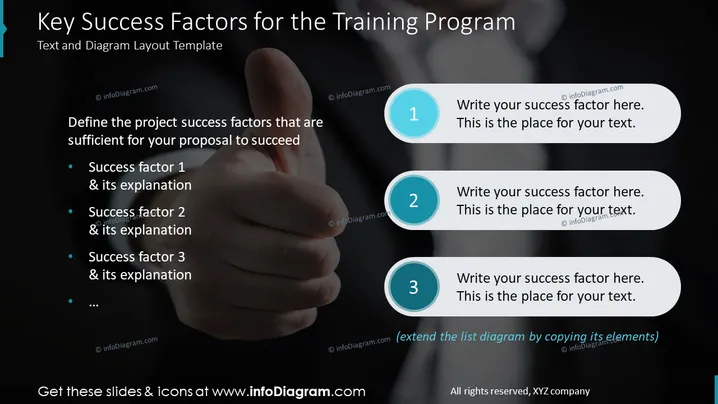
This slide introduces the "Key Success Factors for the Training Program" and presents a basic structure for defining the success factors critical to the proposal's success. It lists placeholders for at least three success factors, each followed by space for an accompanying explanation. These elements suggest the slide is meant to guide the identification and elaboration of what will make the training program successful.
Graphical Look
- The slide background is a dark gradient, providing high contrast for lighter text and graphic elements.
- The title is prominently displayed at the top in bold white font, standing out against the dark background.
- A supportive subtitle is present below the title in a smaller font, with a lighter color to distinguish it.
- To the left, there's a bulleted list with blue circular bullet points, each followed by lines for text, indicating space for writing descriptions for the success factors.
- On the right, three numbered pill-shaped callouts with a teal circle and drop shadow highlight the numbers 1 to 3, each followed by a text area.
- The overall design utilizes a balanced asymmetrical layout with textual content on the left and the more visually interactive numeric callouts on the right.
The overall look of the slide is modern and professional, with a clear visual hierarchy that guides the viewer from the title to the explanatory text and numbered points. The color scheme is consistent and visually engaging without being distracting.
Use Cases
- To structure a planning session for a corporate training program, identifying what will make it effective.
- In a project proposal presentation, outlining critical components that ensure the proposed training fulfills organizational goals.
- Utilized during a team meeting to collaboratively determine and assign action items that constitute the core of a successful training initiative.
- Included in a progress report to highlight the status of key factors critical to the ongoing success of a company-wide educational program.
How to Edit
How to edit text & colors

How to expand / shorten diagram

How to Replace Icons in infoDiagram PPT


